Get unlimited access to 5000+ Templates for Google Docs, Slides and Sheets
Unlimited Access
ADVERTISEMENT
ADVERTISEMENT

Museum Trifold Brochure Template

Use this free template with Google Slides and Microsoft PowerPoint
4.25 (1 reviews)
Last updated Updated July 9, 2026
Created by Zhanna Pitsina
Type Trifold, Modern, Portrait, A4 / US Letter
ADVERTISEMENT

Template Specification

Format Google Slides, Microsoft PowerPoint
Created June 10, 2024
Last Updated July 9, 2026
Community Added to collections by 2 Users
Usage Stats 2 downloads this month

Key Features of This Template

About this template

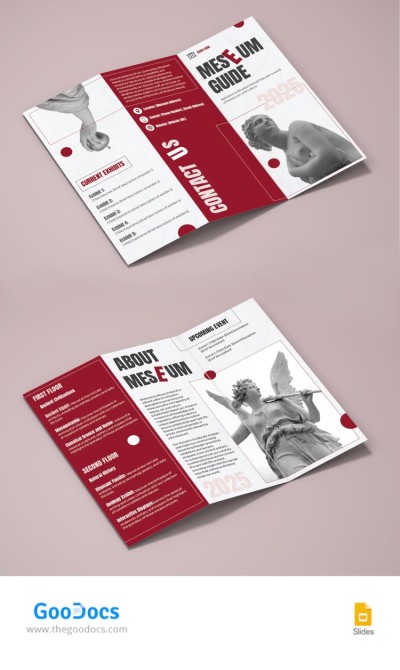
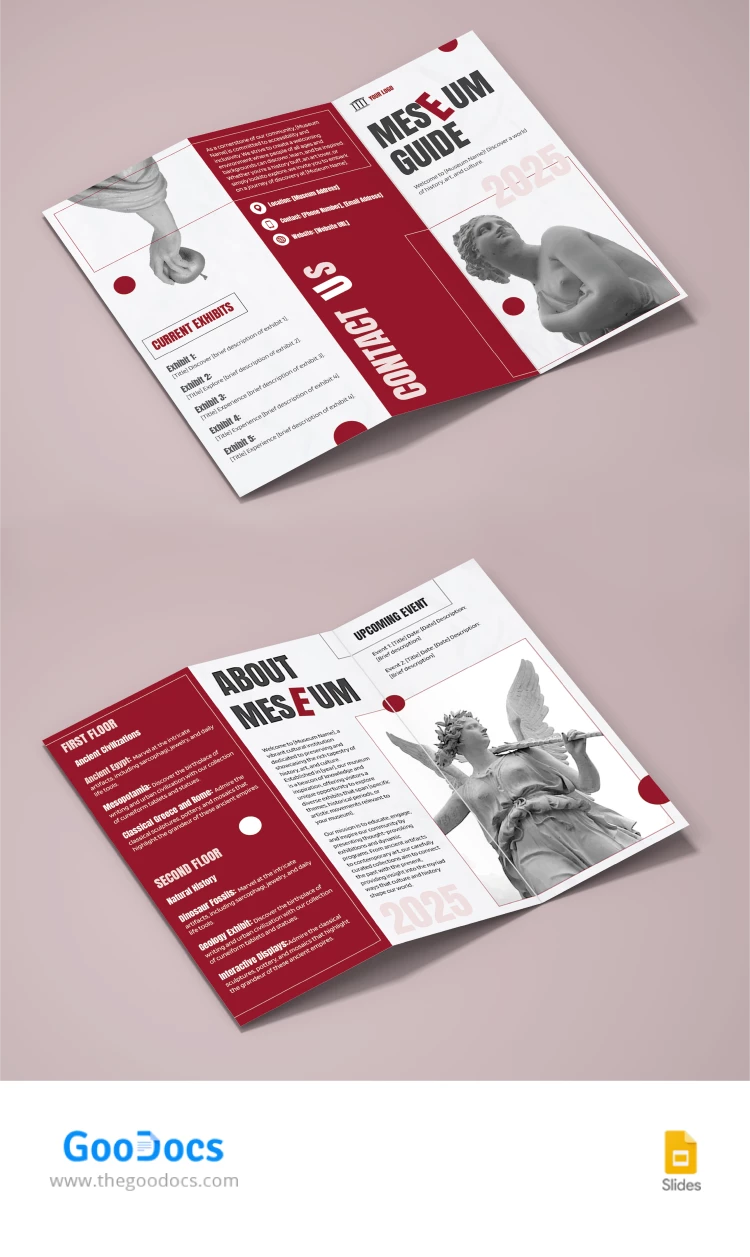
Our Modern Museum Brochure template is the go-to choice to promote your place and exhibitions. Make the most out of the advertising process and convey any details to your potential visitors with our PowerPoint and Google Slides brochure template.

Contemporary Design in Red and White Tones

This two-page museum brochure template will help you inform about all the advantages of your location. Red colors go well with white backgrounds, gray titles, and black-and-white images.

A modern design with the addition of photos of statues and monuments (which you can replace with pictures that are relevant to your museum) will attract the attention of people of all ages.

Professional Trifold Layout

You can print our Google Slides trifold brochure template in A4 format. We have prepared a design for the front and back, in which you can add info about:

  • Current exhibitions.
  • Contact information.
  • Interesting details.
  • History of the museum.
  • Upcoming events, and more.

Use the best brochure templates available only on our website!

ADVERTISEMENT
Free Template

Download Free Template

Choose your platform and start editing right away
PLATFORM

Google Slides

Opens in browser

Microsoft PowerPoint

.pptx
PAPER SIZE
A4
Google Slides – A4
No account required • Attribution required

WHAT’S INCLUDED

Trifold layout for easy reading
Front and back customizable pages
Section for current exhibitions
Dedicated contact information area

Brochures & Pamphlet Tips

1
Customize colors to match your museum branding
2
Include engaging images to draw attention
3
Highlight unique exhibitions to attract visitors
4
Update events section regularly for latest offerings

FAQ

Is this template compatible with Google Slides and PowerPoint? Yes, it's compatible with both platforms.
Is the template easy to customize? Absolutely, you can quickly edit text and images.
Can I use this template for free? Yes, it is available for free download.
Do I need any design skills to use this? No design skills are necessary, it's user-friendly.
Is the template printable? Yes, you can print it in A4 format.
ADVERTISEMENT

How to Use and Edit This Template

Get Your Document

1

Get Your Document

Click the "Edit Template" button to create your own editable copy in Google Slides or download for Microsoft PowerPoint
Customize Everything
2

Customize Everything

Easily change colors, fonts, and layouts to match your unique style or brand identity
Add Your Content
3

Add Your Content

Fill in your data, upload images, and replace the placeholder text with your own information
Print, Export, or Share
4

Print, Export, or Share

Print, export as PDF, or share instantly

Related Templates

Recently Viewed