ADVERTISEMENT
ADVERTISEMENT
Tender Wedding Book Template
Use this free template with Google Slides and Microsoft PowerPoint
4.53 (2 reviews)
•
Last updated
Updated
June 30, 2026
•
Created by
Scarlett Adams
•
Type
Nonfiction, Aesthetic, Portrait, A4 / US Letter
ADVERTISEMENT
Template Specification
Format
Google Slides
Orientation
Portrait Book Templates
Created
March 11, 2023
Last Updated
June 30, 2026
Community
Added to collections by 3 Users
Usage Stats
0 downloads this month
Key Features of This Template
Book Category
Nonfiction Book Templates
Style
Aesthetic Book Templates
About this template
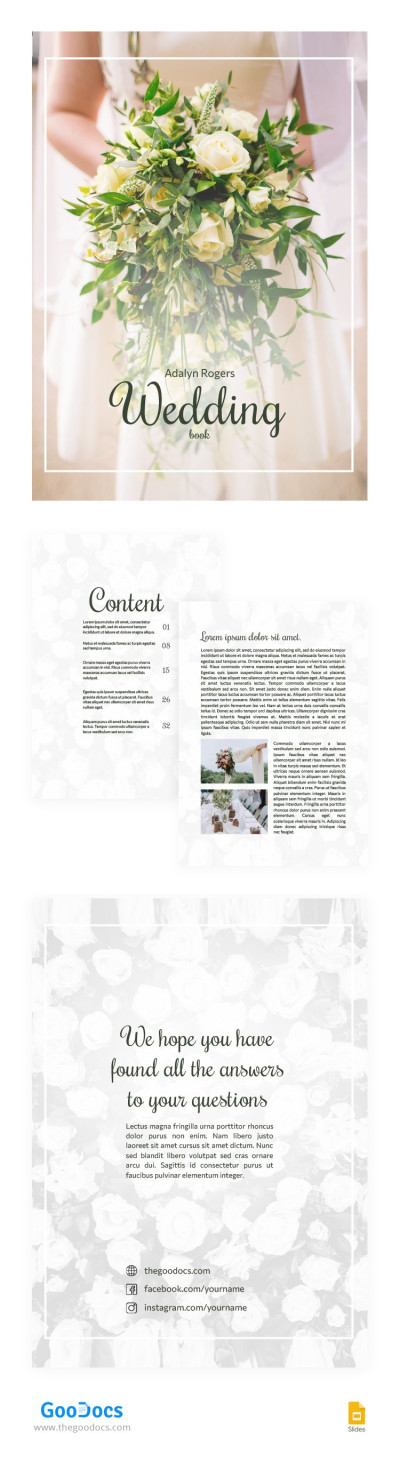
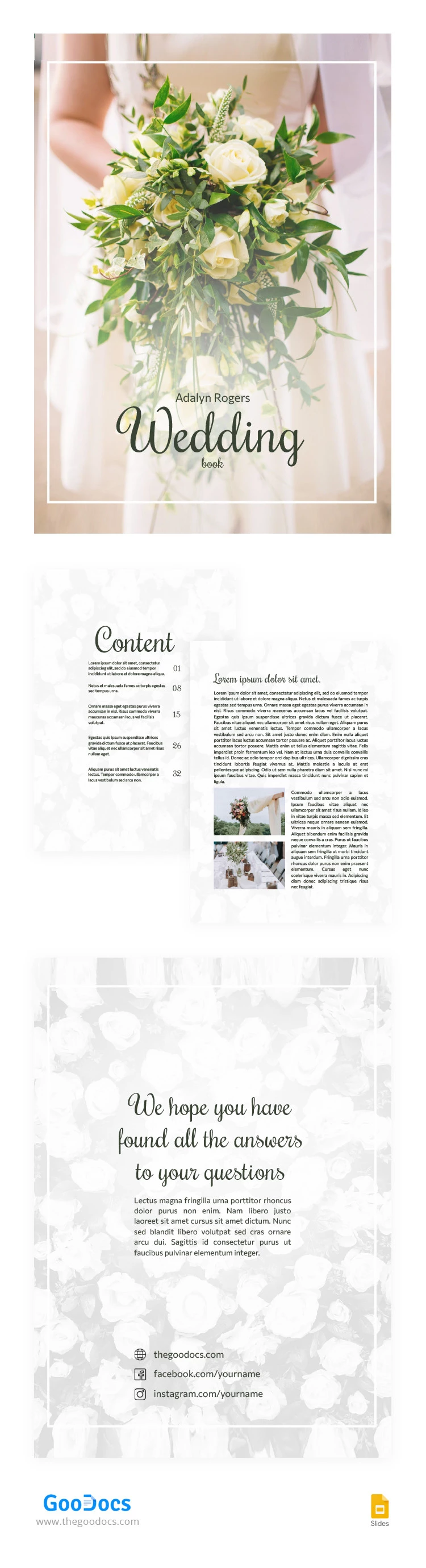
This Tender Wedding Book template is suitable for both wedding planners and newlyweds. You can get a copy of the template right now for free. You can add up-to-date information there for your purpose. Customization and use of the template are available in Google Slides. And when you're done, you can print the template in US Letter format.
ADVERTISEMENT
Free Template
Download Free Template
Choose your platform and start editing right away
PLATFORM
PAPER SIZE
A4
No account required • Attribution required
WHAT’S INCLUDED
Elegant cover with floral design
Customizable table of contents
Space for personal stories and photos
Contact and social media links
Book Tips
Add personal anecdotes for a memorable touch.
Include photos to visualize your journey.
Keep sections concise and focused.
Regularly update information as plans change.
FAQ
Is this template free?
Yes, you can download it for free.
Can I use this in PowerPoint?
Yes, it is compatible with PowerPoint and Google Slides.
How easy is it to customize?
It's easily customizable with text and image placeholders.
Do I need a Google account?
No, you can also use it in PowerPoint without a Google account.
What size is the template?
The template is in US Letter format.
ADVERTISEMENT
How to Use and Edit This Template

Get Your Document
Click the "Edit Template" button to create your own editable copy in Google Slides or download for Microsoft PowerPoint

Customize Everything
Easily change colors, fonts, and layouts to match your unique style or brand identity

Add Your Content
Fill in your data, upload images, and replace the placeholder text with your own information

Print, Export, or Share
Print, export as PDF, or share instantly