Get unlimited access to 5000+ Templates for Google Docs, Slides and Sheets
Unlimited Access

Stylish Vintage Art Books Template

Use this free template with Google Slides and Microsoft PowerPoint
4.56 (4 reviews)
Last updated Updated June 30, 2026
Created by Yurii Zakhidnyi
Type Nonfiction, Old, Portrait, A4 / US Letter
ADVERTISEMENT

Template Specification

Format Google Slides
Created November 11, 2023
Last Updated June 30, 2026
Community Added to collections by 8 Users
Usage Stats 3 downloads this month

Key Features of This Template

About this template

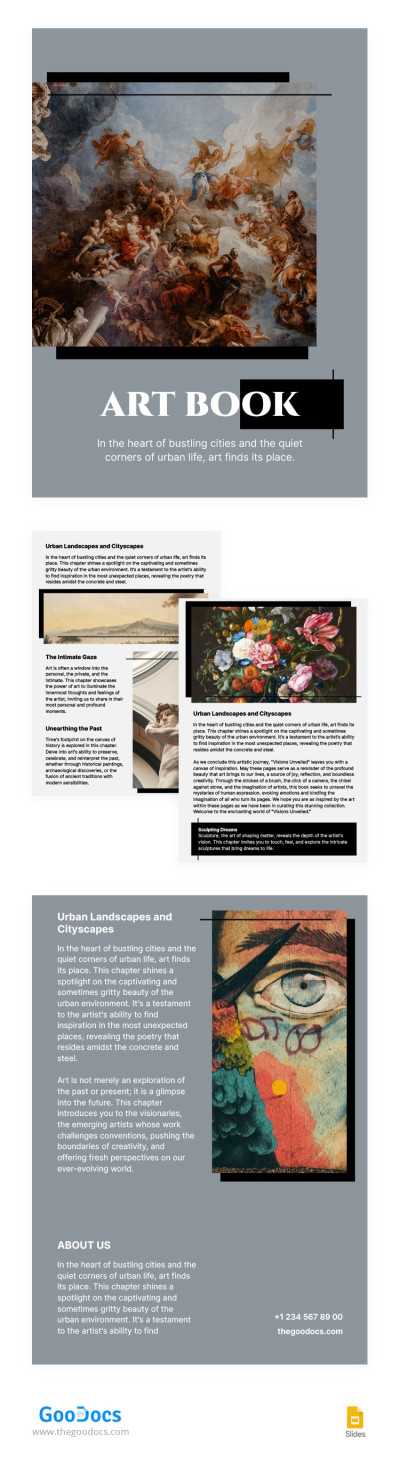
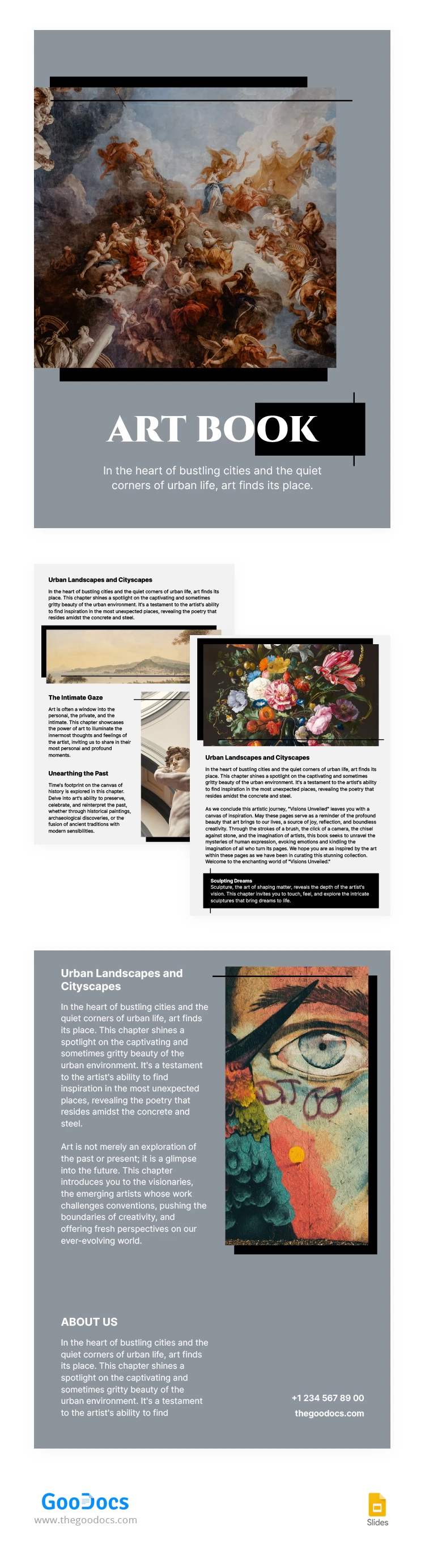
Our Stylish Vintage Art Book Template is the perfect design for your exhibition guide or portfolio. This option offers everything you need to present each piece of art, from placeholders for photos and artwork to dedicated text blocks. Plus, you can easily customize it in Google Slides and print it or publish it online.

Create a Vintage Art Book with Ease

From the front to the back cover, you get a ready-to-use and fully customizable vintage book template. The front cover features placeholders for a photo, the book title, and a brief summary.

The template also offers:

  • Two interior pages designed in a consistent style with vintage elements and placeholders for titles and descriptions.
  • A matching back cover featuring a classic painting image and space for your text and contact information.

You can easily replace any element of the template, use new fonts and color palettes, or keep the default design. Start printing in A4 size just after editing, or publish your art book on any digital platform.

ADVERTISEMENT
Free Template

Download Free Template

Choose your platform and start editing right away
PLATFORM

Google Slides

Opens in browser
PAPER SIZE
A4
Google Slides – A4
No account required • Attribution required

WHAT’S INCLUDED

Customizable covers with artwork placeholders
Consistent vintage-styled interior pages
Built-in text and title sections
Space for contact information on back cover

Book Tips

1
Replace placeholders with high-quality images for best results.
2
Use vintage fonts to enhance the classic theme.
3
Organize content in dedicated sections for clarity.
4
Export as PDF to maintain formatting across devices.

FAQ

Is the template compatible with PowerPoint? Yes, you can use it in both Google Slides and PowerPoint.
Is the template easy to customize? Absolutely, you can easily replace images and text.
Do I need to pay to download? No, this template is free to download and use.
Can I edit it offline? Yes, download it and edit offline with PowerPoint.
Is it suitable for an exhibition guide? Yes, it's perfect for showcasing artwork and artist information.
ADVERTISEMENT

How to Use and Edit This Template

Get Your Document

1

Get Your Document

Click the "Edit Template" button to create your own editable copy in Google Slides or download for Microsoft PowerPoint
Customize Everything
2

Customize Everything

Easily change colors, fonts, and layouts to match your unique style or brand identity
Add Your Content
3

Add Your Content

Fill in your data, upload images, and replace the placeholder text with your own information
Print, Export, or Share
4

Print, Export, or Share

Print, export as PDF, or share instantly

Related Templates

Recently Viewed