ADVERTISEMENT
ADVERTISEMENT
Editable Guest Book Template With Minimalist Design
Use this free template with Google Docs and Microsoft Word
•
Last updated
Updated
October 24, 2026
•
Created by
Anastasiia Lytvynova
•
Type
Nonfiction, Simple, Portrait, A4 / US Letter
ADVERTISEMENT
Template Specification
Format
Google Docs, Microsoft Word
Orientation
Portrait Book Templates
Created
July 14, 2025
Last Updated
October 24, 2026
Community
Added to collections by 10 Users
Usage Stats
15 downloads this month
Key Features of This Template
About this template
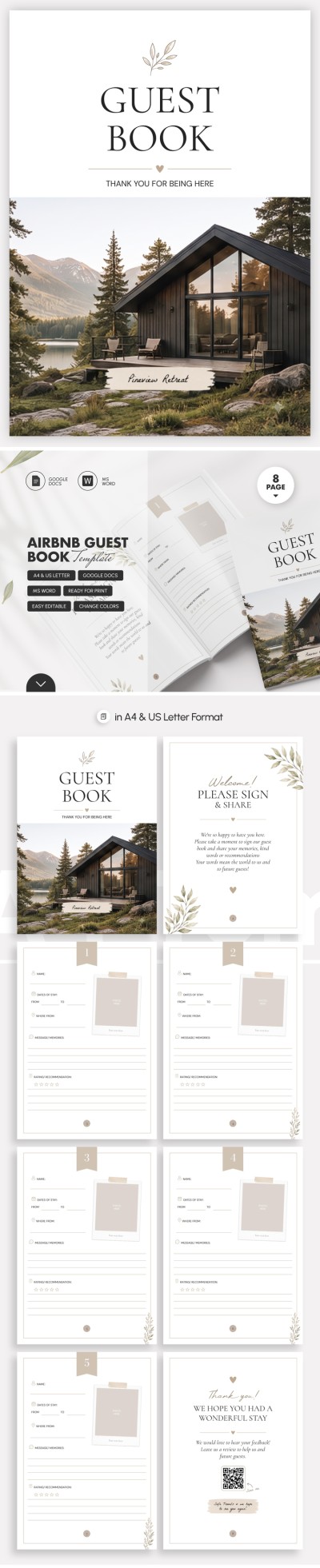
This simple and intuitive Editable Guest Book Template will help you provide better service to your clients, track guests, and more. This option is perfect for any events and use in restaurants, cafes, and hotels. The template is available in Google Docs and Word, so you can easily customize it, save it as a PDF, and print it.
Design Your Minimalist Guest Book Today
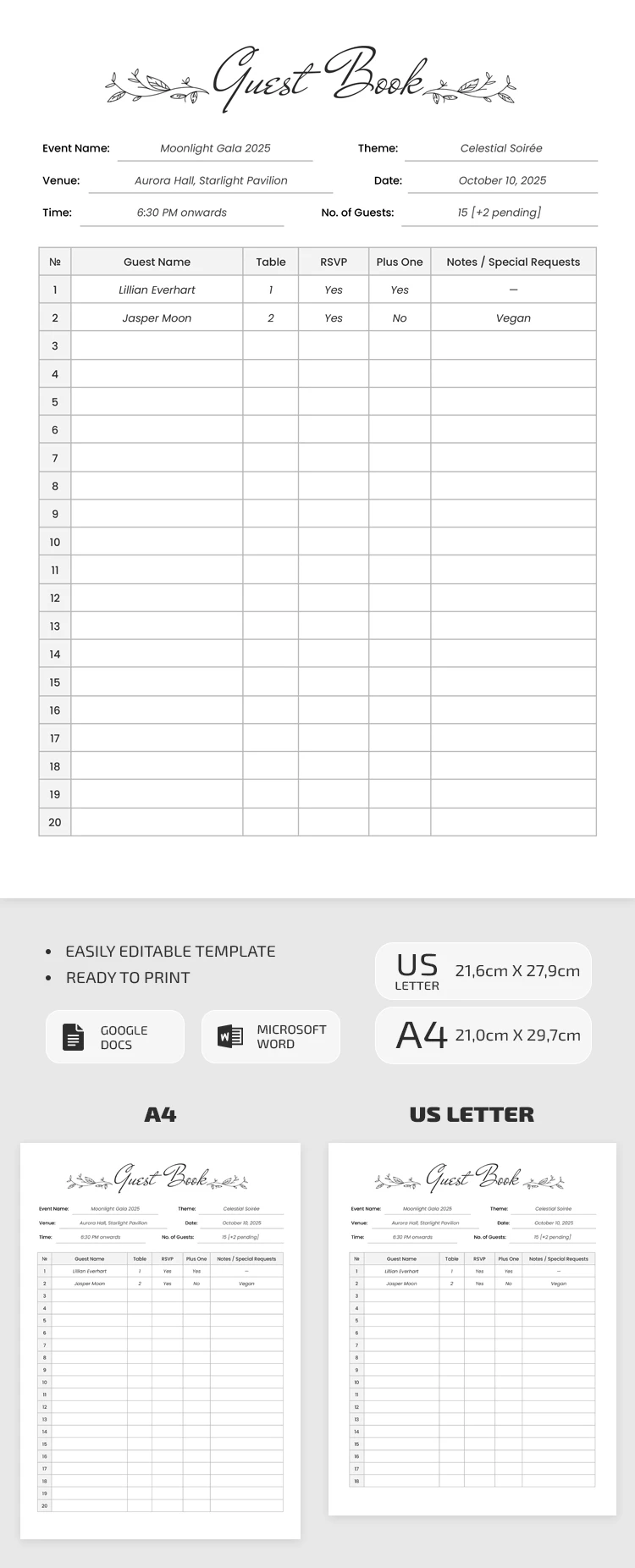
This guest book template consists of two main sections:
- The header section offers placeholders for the event name, start time, theme, date, and planned number of guests.
- The table section consists of six columns, including number, guest name, table, RSVP, "plus one," and notes or special requests.
The main advantage of this template is that you can customize each column and placeholder name to suit your specific event or venue. Simply highlight the text and change it. The form can be filled out digitally or printed as a physical copy. Choose a book template for your next project on our website.
ADVERTISEMENT
Free Template
Download Free Template
Choose your platform and start editing right away
PLATFORM
PAPER SIZE
A4
A4
No account required • Attribution required
WHAT’S INCLUDED
Fully customizable guest list sections
Printable in A4 and US Letter
Editable in Google Docs and Word
Spaces for RSVPs and special requests
Book Tips
Fill out guest information as soon as invitations are sent.
Use color-coding for easy guest category identification.
Add dietary preferences for better event planning.
Print multiple copies for large events to keep organized.
FAQ
Is this template free to use?
Yes, this template is available for free download.
Can I use this in Excel?
This template is for Google Docs and Word, not Excel.
Is it easy to customize?
Yes, you can easily modify text and layout in Docs or Word.
What if I don't have a Google account?
You can download it and use it in Microsoft Word.
Can I add more columns for special notes?
Yes, the template is fully customizable to add more columns.
ADVERTISEMENT
How to Use and Edit This Template

Get Your Document
Click the "Edit Template" button to create your own editable copy in Google Docs or download for Microsoft Word

Customize Everything
Easily change colors, fonts, and layouts to match your unique style or brand identity

Add Your Content
Fill in your data, upload images, and replace the placeholder text with your own information

Print, Export, or Share
Print, export as PDF, or share instantly