ADVERTISEMENT
ADVERTISEMENT
Bright Coloring Book Cover Template
Use this free template with Google Slides and Microsoft PowerPoint
4.25 (1 reviews)
•
Last updated
Updated
October 17, 2026
•
Created by
Halyna Uygur
•
Type
Nonfiction, Cute, Portrait, A4 / US Letter
ADVERTISEMENT
Template Specification
Format
Google Slides, Microsoft PowerPoint
Orientation
Portrait Book Templates
Created
June 28, 2024
Last Updated
October 17, 2026
Community
Added to collections by 15 Users
Usage Stats
26 downloads this month
Key Features of This Template
Suitable For
Publisher , Self Publish
Book Category
Nonfiction Book Templates
Style
Cute Book Templates
About this template
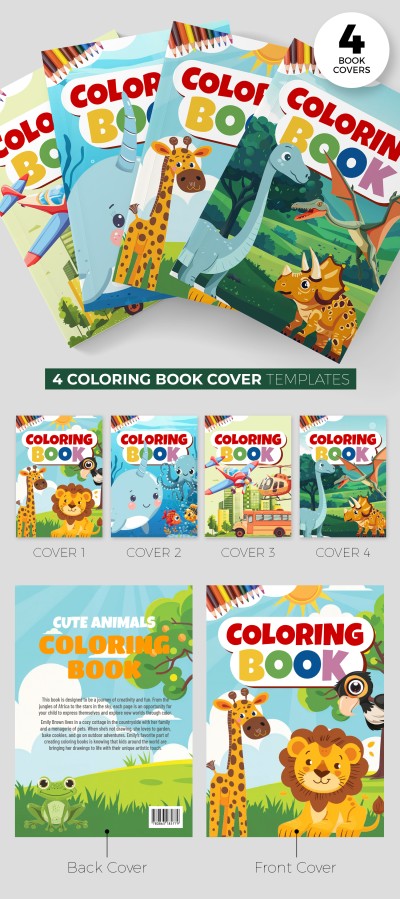
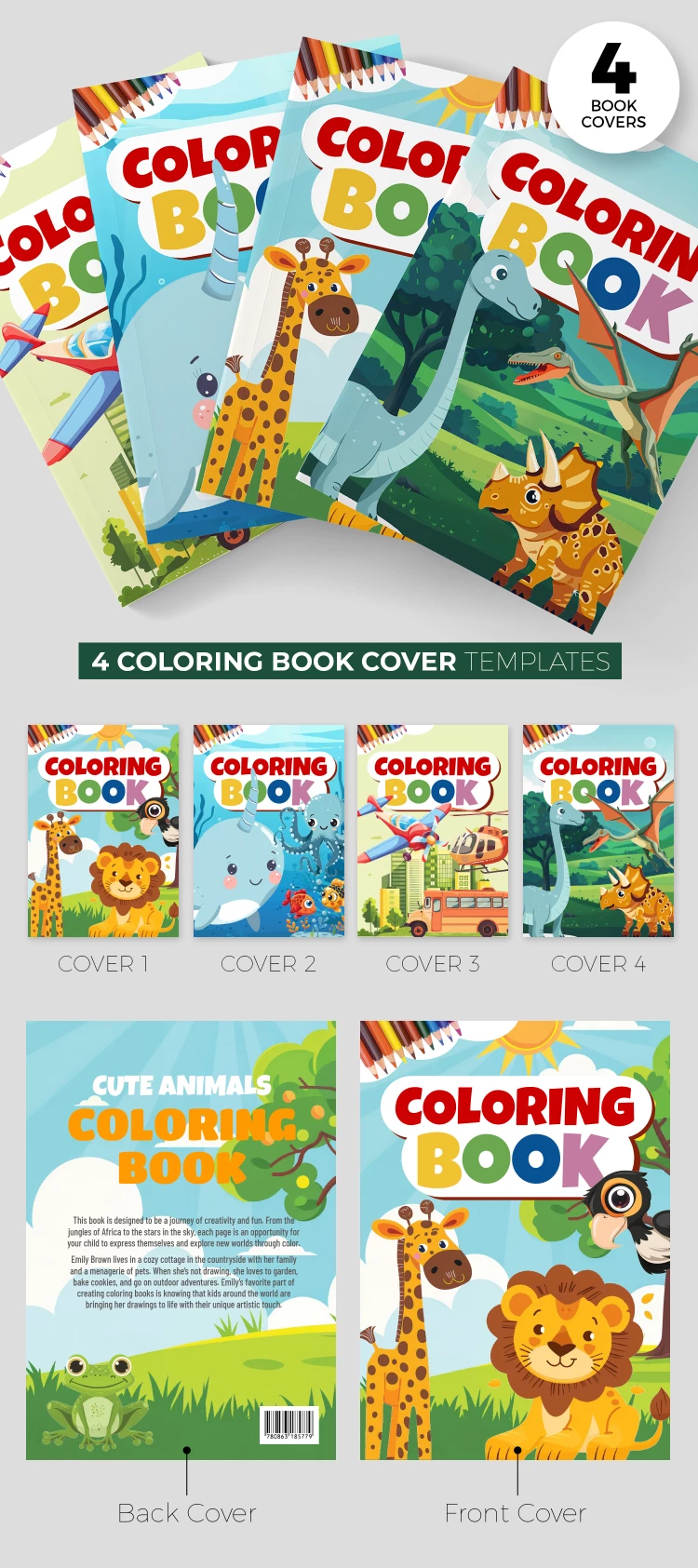
This Coloring Book Cover Template consists of four cover options for your textbook. The designs are perfect for coloring books for children of any age. You can use all the options provided or choose the one you like most.
Different Styles in One Book Jacket Template for Free
Our coloring book cover design consists of four blanks for the front and four for the back cover:
- With painted animals - a lion, a toucan, and a giraffe. Green trees with grass are placed in the background.
- Blue design with underwater inhabitants, such as octopuses, narwhals, fishes, and others.
- For little engineers with an airplane, a helicopter, a bus, and buildings.
- For dinosaur lovers with different species.
You can use this book cover as an idea for your design or just customize it. On our website, you will find a unique coloring book cover template and more design ideas.
ADVERTISEMENT
Free Template
Download Free Template
Choose your platform and start editing right away
PLATFORM
PAPER SIZE
A4
No account required • Attribution required
WHAT’S INCLUDED
Four unique cover designs templates
Customizable text and graphic elements
High-quality, vibrant illustrations
Compatible with Google Slides and PowerPoint
Book Tips
Choose a cover theme that matches your book's content.
Customize colors to align with your brand palette.
Use high-resolution images for the best print quality.
Test print a sample to see real-world colors.
FAQ
Is this template compatible with PowerPoint?
Yes, you can use it in both Google Slides and PowerPoint.
Can I customize the covers easily?
Absolutely, all elements are fully editable.
Is the template free to download?
Yes, the template is completely free to use.
Is a Google account required to use this?
No account is needed if you're using PowerPoint.
Are the illustrations suitable for all ages?
Yes, they are perfect for coloring books for any age group.
ADVERTISEMENT
How to Use and Edit This Template

Get Your Document
Click the "Edit Template" button to create your own editable copy in Google Slides or download for Microsoft PowerPoint

Customize Everything
Easily change colors, fonts, and layouts to match your unique style or brand identity

Add Your Content
Fill in your data, upload images, and replace the placeholder text with your own information

Print, Export, or Share
Print, export as PDF, or share instantly