Get unlimited access to 5000+ Templates for Google Docs, Slides and Sheets
Unlimited Access
ADVERTISEMENT
ADVERTISEMENT

Printable Fantasy Book Cover Template – Customizable Novel Layout

Use this free template with Google Slides and Microsoft PowerPoint
4.25 (1 reviews)
Last updated Updated July 4, 2026
Type Fiction, Fantasy & Sci-fi, Portrait, A4 / US Letter
ADVERTISEMENT

Template Specification

Format Google Slides, Microsoft PowerPoint
Created November 13, 2025
Last Updated July 4, 2026
Community Added to collections by 18 Users
Usage Stats 80 downloads this month

Key Features of This Template

Suitable For Publisher , Self Publish
Book Category Fiction Book Templates

About this template

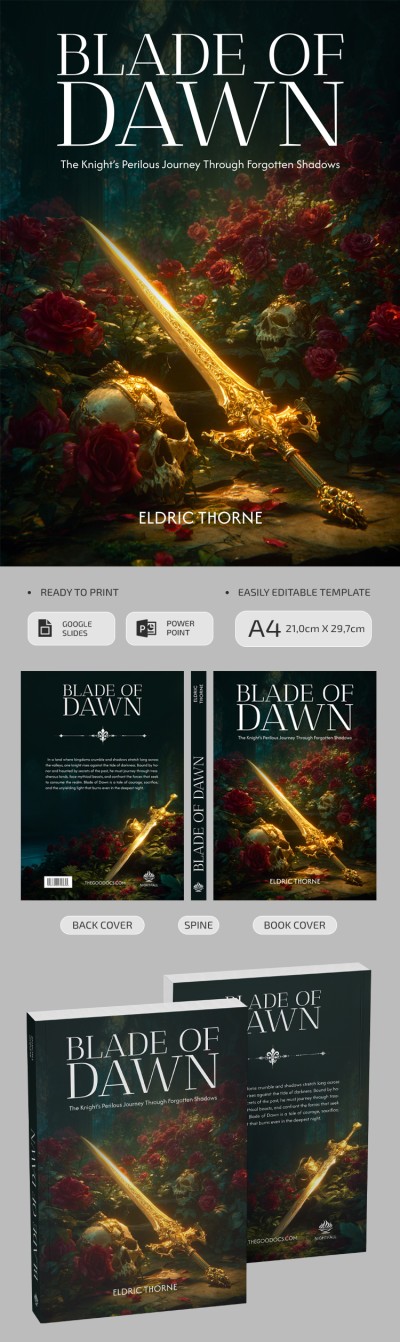
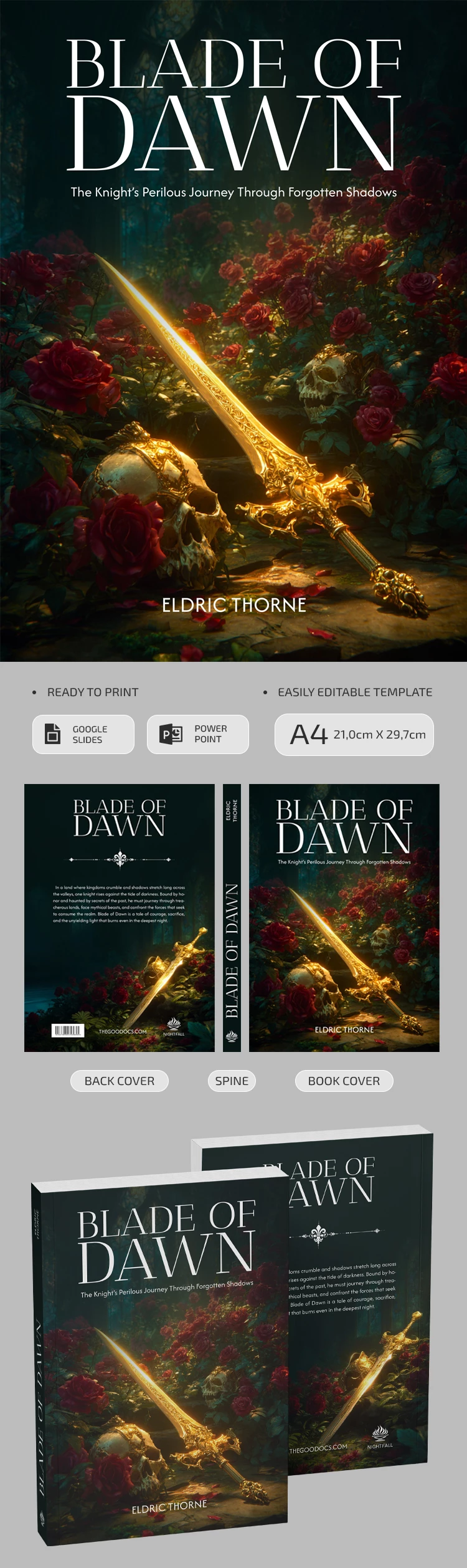
Our Fantasy Book Cover Template comes with a bundle of a front and back cover, plus three spine designs. The best part is that you can use this template for free. Get a copy or download our Google Slides and PowerPoint fantasy book cover template right away.

Use a Unique Fantasy Novel Cover

This design is quite versatile. The front cover features an image of a golden sword lying next to skulls in a lush rose garden. Of course, there are placeholders for your book's title, a short blurb, and the author's name.

The back cover is designed in a matching style and offers a standard layout. Here you can add text, the publisher's website, a logo, and even a barcode.

More features of our free book cover template:

  • You can choose from three spine options for your book's thickness.
  • Every element of the template, including fonts, background placement, and colors, is fully editable.
  • The cover is ready for A4 printing without any extra setup.

You can keep the default design and replace the text to create a unique cover for your book in just a few minutes. You can also save the template as a PDF immediately after customization for printing. Find a book template in Google Docs for your new project on our website.

ADVERTISEMENT
Free Template

Download Free Template

Choose your platform and start editing right away
PLATFORM

Google Slides

Opens in browser

Microsoft PowerPoint

.pptx
PAPER SIZE
A4
Google Slides – A4
No account required • Attribution required

WHAT’S INCLUDED

Front cover with customizable image
Back cover for book summary
Editable spine with three options
Print-ready in A4 format

Book Tips

1
Personalize the title and author name effectively
2
Adjust colors to match book theme
3
Incorporate a compelling book blurb
4
Experiment with font styles for impact

FAQ

Is this template compatible with PowerPoint? Yes, it is designed for both PowerPoint and Google Slides.
How easy is it to customize? It's fully editable—change text, images, and colors easily.
Does it cost anything to download? No, this template is free to use.
Can I print directly from the template? Yes, it is A4 print-ready with no extra setup required.
How can I add a barcode to the cover? Insert a barcode image file directly in the back cover section.
ADVERTISEMENT

How to Use and Edit This Template

Get Your Document

1

Get Your Document

Click the "Edit Template" button to create your own editable copy in Google Slides or download for Microsoft PowerPoint
Customize Everything
2

Customize Everything

Easily change colors, fonts, and layouts to match your unique style or brand identity
Add Your Content
3

Add Your Content

Fill in your data, upload images, and replace the placeholder text with your own information
Print, Export, or Share
4

Print, Export, or Share

Print, export as PDF, or share instantly

Related Templates

Recently Viewed