ADVERTISEMENT
ADVERTISEMENT
Sport Brochure Template
Use this free template with Google Slides and Microsoft PowerPoint
4.28 (2 reviews)
•
Last updated
Updated
September 10, 2026
•
Created by
Evelyn Adams
•
Type
Creative, Portrait, A4 / US Letter
ADVERTISEMENT
Template Specification
Format
Google Slides
Orientation
Portrait Brochure & Pamphlet Templates
Created
December 31, 2022
Last Updated
September 10, 2026
Community
Added to collections by 0 Users
Usage Stats
0 downloads this month
Key Features of This Template
About this template
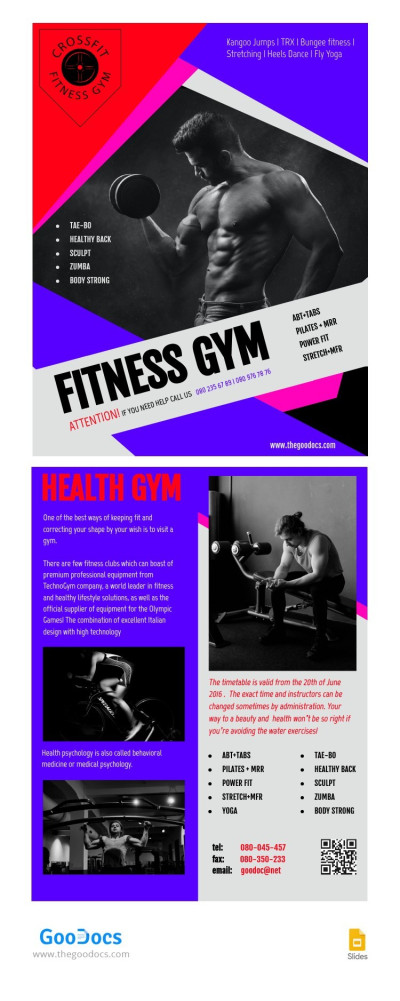
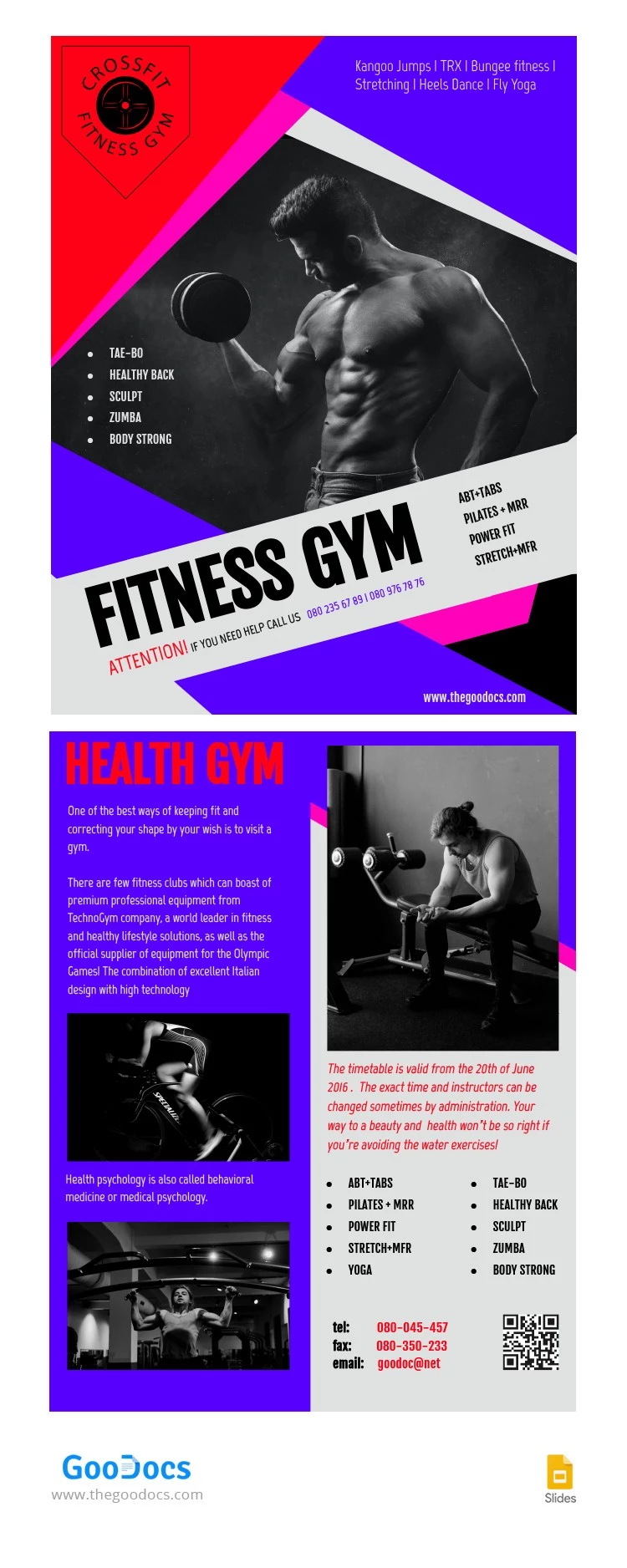
Our Sport Brochure Template is a portrait layout that can be filled out and printed double-sided on A4 paper. The vibrant design features a combination of purple, neon pink, and red tones with a black-and-white photo of an athlete on the front cover. You can immediately fill in information about your gym, coaching services, and more.
Our creative brochure template is ready to fill out:
- Add your gym name, location, phone number, and a brief overview of your main services to the front cover.
- Include a description of the facility, photos of athletes training, detailed descriptions of all programs, contact details, and a QR code on the back panel.
This format is perfect for printing, handing out near your gym, or leaving at the reception desk. Simply fill out the template in Google Slides, save the final version as a PDF, and print it double-sided in high quality with no extra setup required.
ADVERTISEMENT
Free Template
Download Free Template
Choose your platform and start editing right away
PLATFORM
PAPER SIZE
A4
No account required • Attribution required
WHAT’S INCLUDED
Dynamic sections with bold visuals
Pre-set color scheme: vibrant purple and red
Editable text blocks for easy updates
QR code integration for quick contact
Brochures & Pamphlet Tips
Customize contact details before printing for immediate usage.
Use high-resolution images for better print quality.
Adjust color scheme to match your brand identity.
Include a call-to-action in all sections.
FAQ
Is this template compatible with PowerPoint?
Yes, it works with both Google Slides and PowerPoint.
How easy is it to customize?
Very easy; just edit text and images as needed.
Can I change the colors?
Yes, all colors are fully customizable to fit your brand.
Is this template free to use?
Yes, it's free to download and use.
What file formats are available?
Downloadable in both PPTX and editable Google Slides format.
ADVERTISEMENT
How to Use and Edit This Template

Get Your Document
Click the "Edit Template" button to create your own editable copy in Google Slides or download for Microsoft PowerPoint

Customize Everything
Easily change colors, fonts, and layouts to match your unique style or brand identity

Add Your Content
Fill in your data, upload images, and replace the placeholder text with your own information

Print, Export, or Share
Print, export as PDF, or share instantly