Get unlimited access to 5000+ Templates for Google Docs, Slides and Sheets
Unlimited Access
ADVERTISEMENT
ADVERTISEMENT

Printable Babysitting Coupon Book Template

Use this free template with Google Slides and Microsoft PowerPoint

4.25 (1 reviews)
Last updated Updated July 11, 2026
Type Nonfiction, Cute, Portrait, A4 / US Letter
ADVERTISEMENT

Template Specification

Format Google Slides, Microsoft PowerPoint
Created February 14, 2025
Last Updated July 11, 2026
Community Added to collections by 5 Users
Usage Stats 25 downloads this month

Key Features of This Template

About this template

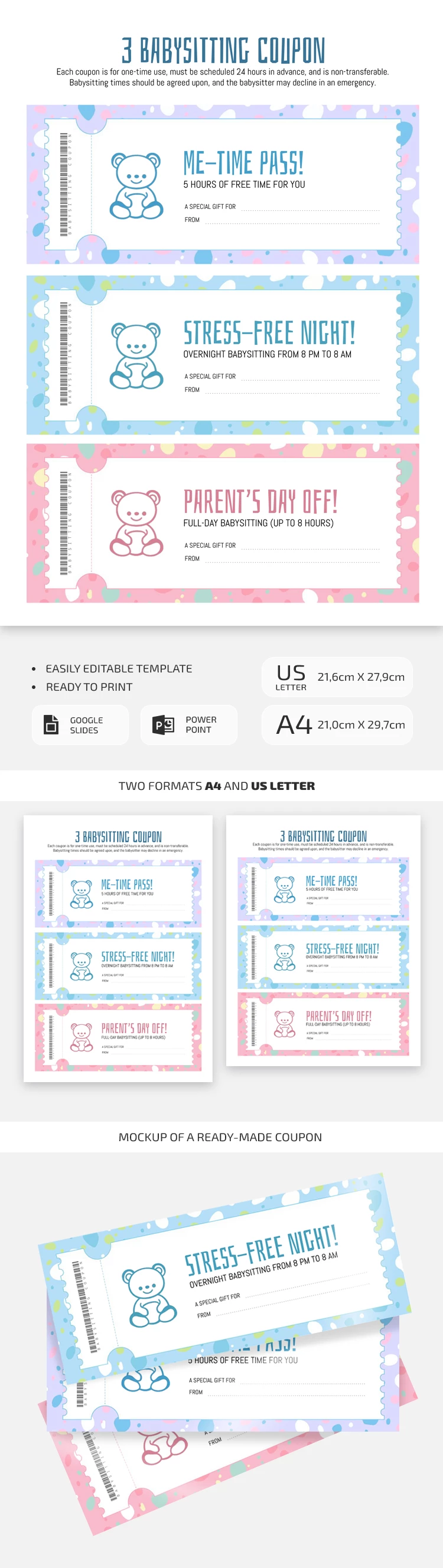
Are you looking for a cute Printable Babysitting Coupon Book Template? This DIY coupon book is perfect for all your needs and is also free and editable in Google Slides and PowerPoint formats.

Cute Designs for Three Coupons

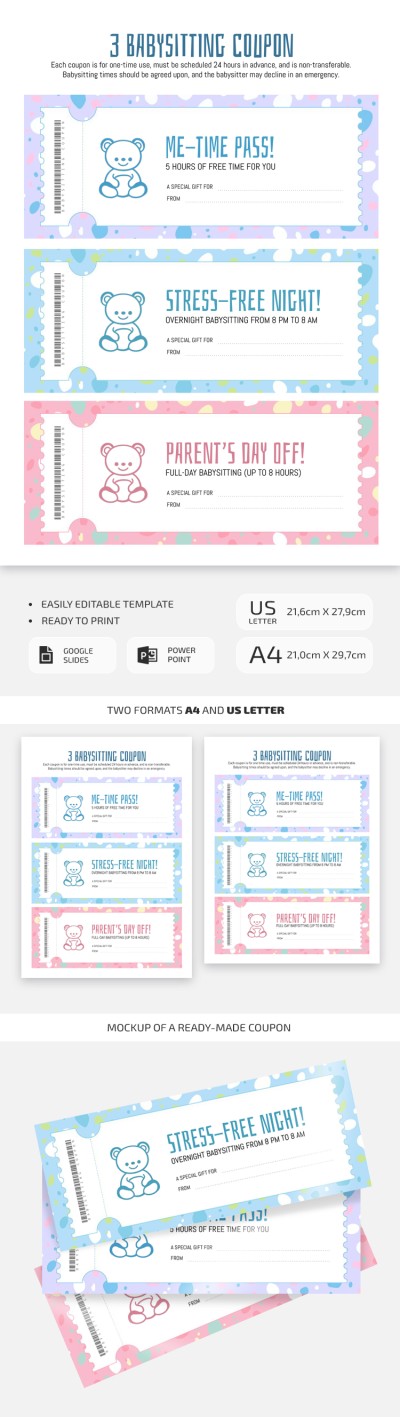
The template includes three coupons on one standard A4 page. All three of them have an eye-pleasing design in cute tones from violet to soft pink and blue. Each coupon has a place for a teddy bear, which can be replaced with a company logo or other symbol.

Different Coupons for Different Purposes

Initially, our coupon book Slides templates is designed for three coupons: 5 hours, night, and full-day babysitting. Yet, you can change the text and add the names of the recipient and giver, as well as the barcode on the left side of the template. Printing it is straightforward, as any available color printer will do. Opt for a book template for Google Docs on our website!

ADVERTISEMENT
Free Template

Download Free Template

Choose your platform and start editing right away
PLATFORM

Google Slides

Opens in browser

Microsoft PowerPoint

.pptx
PAPER SIZE
A4
A4
Google Slides – A4
No account required • Attribution required

WHAT’S INCLUDED

Three unique babysitting coupons
Editable text fields for customization
Colorful teddy bear designs
Formats: A4 and US Letter

Book Tips

1
Customize each coupon with personal messages
2
Print on quality paper for a special touch
3
Schedule babysitting times well in advance
4
Use colorful ink to enhance the design

FAQ

Is the template free to use? Yes, it's free and editable in Google Slides and PowerPoint.
Can I customize the template easily? Absolutely, you can edit text and images within the file.
Is it compatible with Google Slides? Yes, you can use it in both Google Slides and PowerPoint.
Do I need any design skills to use it? No design skills needed. It's user-friendly and straightforward.
Can I replace the teddy bear images? Yes, you can insert your own images or logos into the template.
ADVERTISEMENT

How to Use and Edit This Template

Get Your Document

1

Get Your Document

Click the "Edit Template" button to create your own editable copy in Google Slides or download for Microsoft PowerPoint
Customize Everything
2

Customize Everything

Easily change colors, fonts, and layouts to match your unique style or brand identity
Add Your Content
3

Add Your Content

Fill in your data, upload images, and replace the placeholder text with your own information
Print, Export, or Share
4

Print, Export, or Share

Print, export as PDF, or share instantly

Related Templates

Recently Viewed