ADVERTISEMENT
ADVERTISEMENT
Book Log Template
Use this free template with Google Docs and Microsoft Word
4.12 (2 reviews)
•
Last updated
Updated
October 17, 2026
•
Created by
Zhanna Pitsina
•
Type
Nonfiction, Simple, Portrait, A4 / US Letter
ADVERTISEMENT
Template Specification
Format
Google Docs, Microsoft Word
Orientation
Portrait Book Templates
Created
July 11, 2024
Last Updated
October 17, 2026
Community
Added to collections by 32 Users
Usage Stats
18 downloads this month
Key Features of This Template
Book Category
Nonfiction Book Templates
Style
Simple Book Templates
About this template
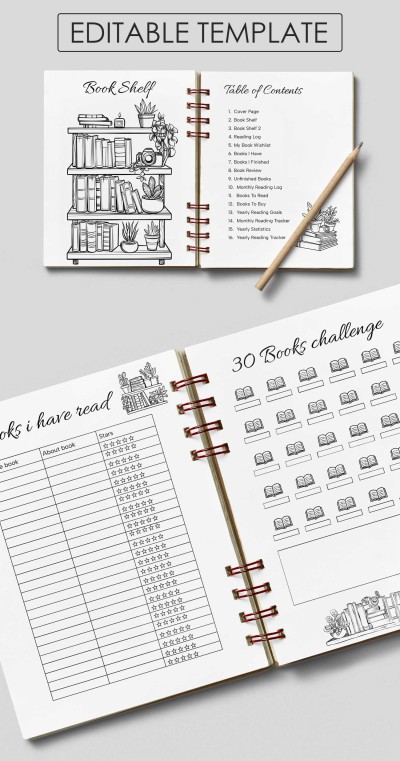
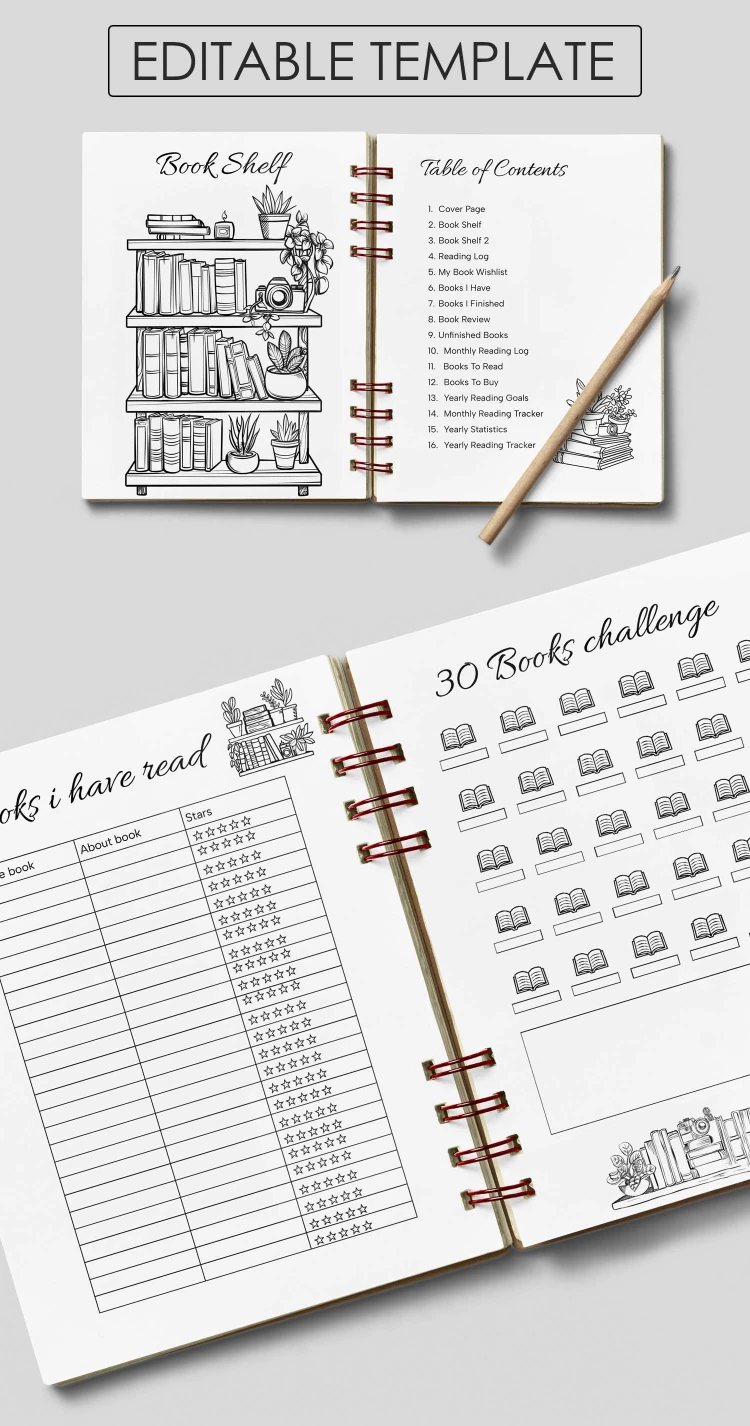
This Bookshelf Template is your companion for setting and achieving reading plans. The form consists of four pages, each of which will help you track your progress and assemble new goals.
Coloring Bookshelf + Three More Sheets
The first page is a black-and-white digital bookshelf template that can be colored on the computer or after printing. The picture consists of a shelf on which there are four levels of books, as well as flowers, a camera, and a burning candle.
In addition, you also receive the following sheets:
- Table of Contents: you can collect information about books stored, reading logs, books to read and buy, yearly reading goals, etc.
- Books I Have Read: this sheet contains a table with book names, "about books", and a "star's" column. That way, you can rate and compare them.
- 30 Books Challenge: on this page, you can write notes and names of 30 books you want to buy and read.
Find your perfect book templates, covers or designs on our website!
ADVERTISEMENT
Free Template
Download Free Template
Choose your platform and start editing right away
PLATFORM
PAPER SIZE
A4
No account required • Attribution required
WHAT’S INCLUDED
Customizable reading log template
30-book challenge tracking page
Bookshelf coloring and decoration
Detailed table of contents section
Book Tips
Update your reading log weekly for accuracy.
Color the bookshelf to personalize your template.
Use the 30-book challenge for yearly goals.
Rate your books for better reviews later.
FAQ
Is the template compatible with Google Docs and Word?
Yes, it works in both Google Docs and Microsoft Word.
Is prior experience needed to use this template?
No, it's user-friendly and easy for beginners.
Can I customize this template?
Yes, you can edit and personalize all sections.
Is this template free to use?
Yes, it's completely free to download and use.
What is included in the 30-book challenge?
It includes spaces to note and track 30 books.
ADVERTISEMENT
How to Use and Edit This Template

Get Your Document
Click the "Edit Template" button to create your own editable copy in Google Docs or download for Microsoft Word

Customize Everything
Easily change colors, fonts, and layouts to match your unique style or brand identity

Add Your Content
Fill in your data, upload images, and replace the placeholder text with your own information

Print, Export, or Share
Print, export as PDF, or share instantly