Сreative Travel Brochure Example
Use this free template with Google Slides and Microsoft PowerPoint
Template Specification
Key Features of This Template
About this template
Use our bright and colorful Creative Travel Brochure Template to showcase your trips. This brochure is free, fully editable, and print-ready. Take advantage of the pre-set fonts, creative content blocks, and a structured layout to highlight your tours and your agency's key benefits. Our bifold brochure is an excellent choice for this task.
Use Our Brochure Template for Your Travel Agency Marketing
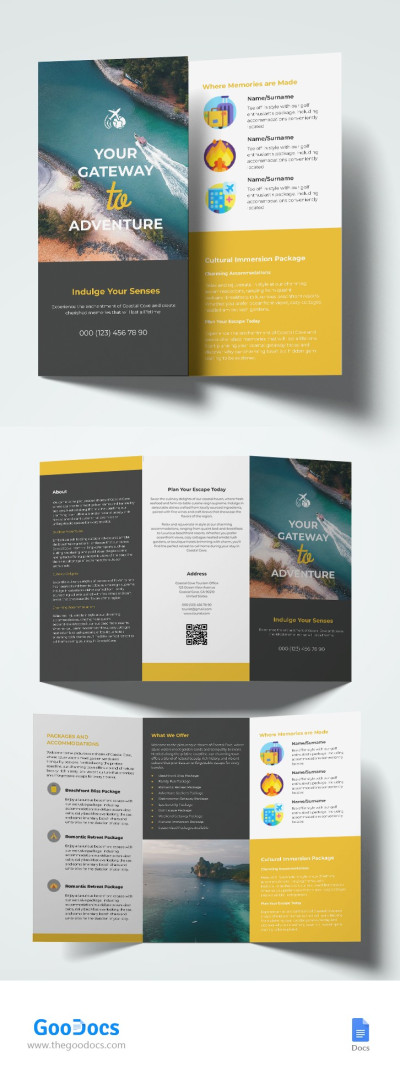
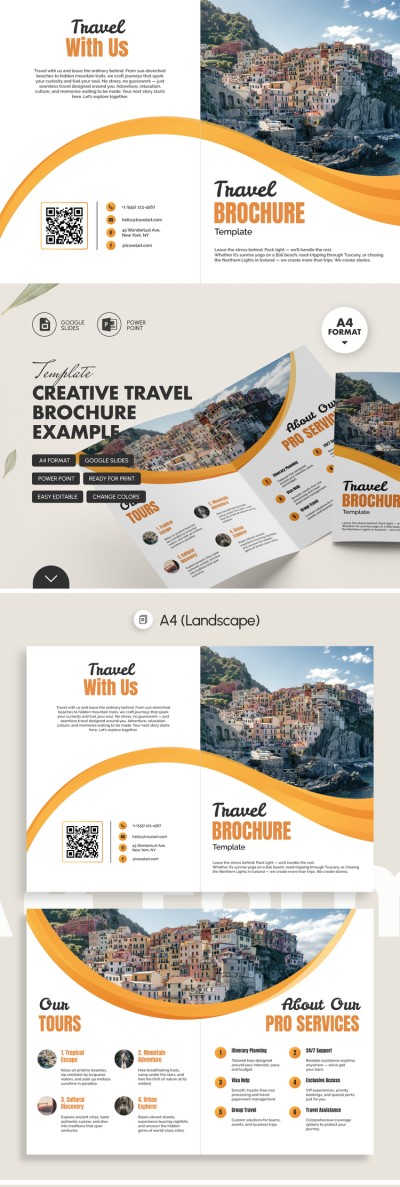
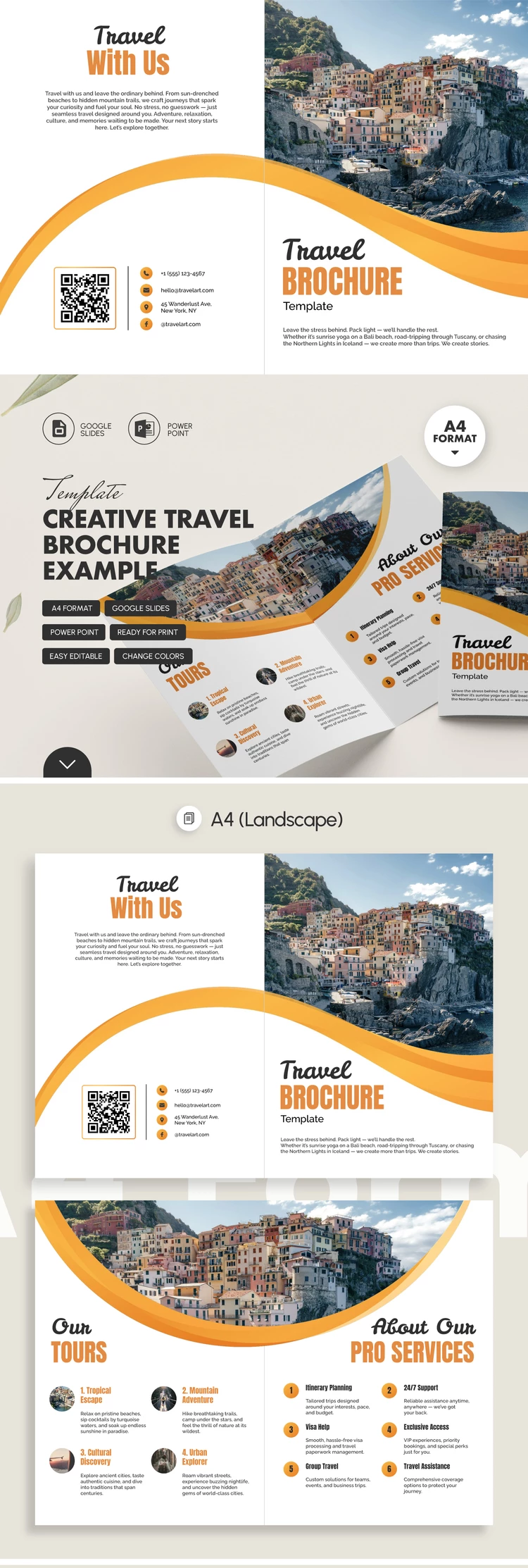
The front panel is the first thing prospective clients will see, and it really grabs their attention. A bright yellow line extends across it to the back cover, and a circular frame holds a placeholder photo that you can keep or replace. Below, you can easily add the brochure title, company information, and more.
The interior layout of our travel brochure example also features a creative look:
- At the top, there's a placeholder photo that creates a seamless image when the brochure is unfolded.
- You can add titles, photos, and descriptions of your top tours, as well as details about your services.
- The overall design is consistent, featuring bright yellow accents that inspire travel.
The back cover also features a contact block with placeholders for phone numbers, email, address, social media, and a QR code. Once you're done, you can save this printable brochure template as a PDF and print it double-sided on A4 paper without any extra formatting.
Download Free Template
WHAT’S INCLUDED
Brochures & Pamphlet Tips
FAQ
How to Use and Edit This Template

Get Your Document

Customize Everything

Add Your Content