Get unlimited access to 5000+ Templates for Google Docs, Slides and Sheets
Unlimited Access
ADVERTISEMENT
ADVERTISEMENT

Grey Laconic Informational Brochure Template

Use this free template with Google Docs and Microsoft Word
4.17 (2 reviews)
Last updated Updated July 14, 2026
Created by Michael Allen
Type Trifold, Professional, Portrait, A4 / US Letter
ADVERTISEMENT

Template Specification

Format Google Docs
Created June 21, 2023
Last Updated July 14, 2026
Community Added to collections by 35 Users
Usage Stats 3 downloads this month

Key Features of This Template

About this template

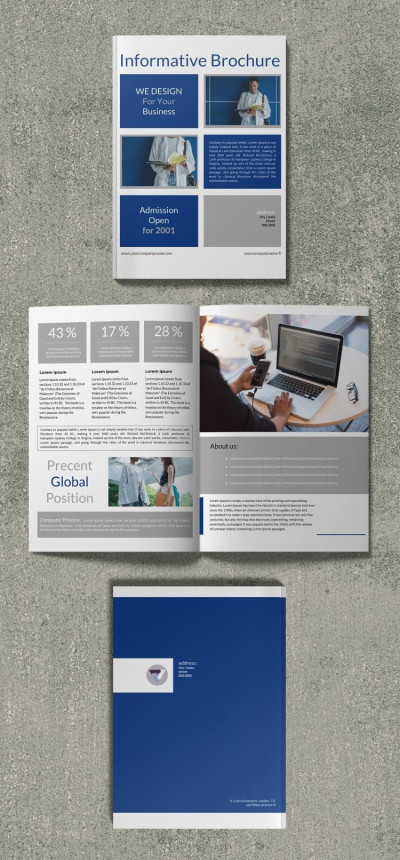
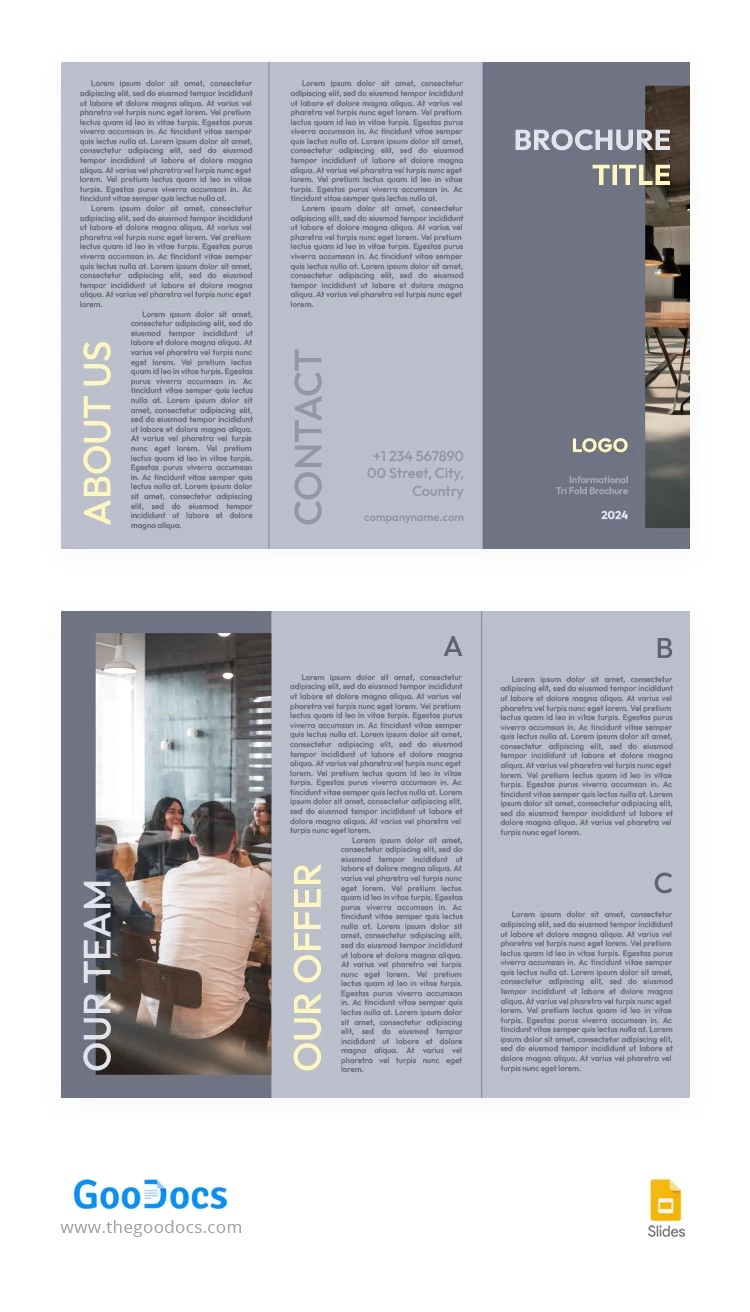
Our Grey Laconic Informational Brochure Template offers a ready-made layout to make a product, service, or informational handout. The template features a stylish, minimalist look with ample text space and placeholders for headings and images. This brochure example is fully editable and printable in Google Docs.

Distinct Design and Professional Structure

A smoky gray tone is used for most of the background and images. The text is written in a slightly darker, easy-to-read font. The first and last panels have a darker background than the others and include large placeholders for images, headings, and a logo.

Key features of our 3-fold brochure:

  • The template is fully customizable.
  • The tri-fold layout is ideal for informational pamphlets.
  • Printing in A4 landscape format on both sides is possible without any additional settings.

Creating promotional or informational material about your company or event is simple. Download our informational brochure examples to see them in action.

ADVERTISEMENT
Free Template

Download Free Template

Choose your platform and start editing right away
PLATFORM

Google Docs

Opens in browser
PAPER SIZE
A4
Google Docs – A4
No account required • Attribution required

WHAT’S INCLUDED

Editable brochure title and logo
Customizable contact information section
Pre-formatted paragraph styles
Eye-catching image placeholders

Brochures & Pamphlet Tips

1
Replace placeholder text with concise, engaging details.
2
Use high-quality images for a polished look.
3
Adjust contact info to ensure accuracy.
4
Test print on draft paper first.

FAQ

Is this template free? Yes, download and use it at no cost.
Can I edit this in Microsoft Word? Yes, it's compatible with both Google Docs and Microsoft Word.
Can I customize the sections easily? Yes, simply click and edit any section.
How can I change the brochure titles? Click on the title area to edit text.
What page sizes are supported? Print-ready in A4 and US Letter sizes.
ADVERTISEMENT

How to Use and Edit This Template

Get Your Document

1

Get Your Document

Click the "Edit Template" button to create your own editable copy in Google Docs or download for Microsoft Word
Customize Everything
2

Customize Everything

Easily change colors, fonts, and layouts to match your unique style or brand identity
Add Your Content
3

Add Your Content

Fill in your data, upload images, and replace the placeholder text with your own information
Print, Export, or Share
4

Print, Export, or Share

Print, export as PDF, or share instantly

Related Templates

Recently Viewed