ADVERTISEMENT
ADVERTISEMENT
Simple Classic Vacation Budget Template
Use this free template with Google Sheets and Microsoft Excel
4.25 (1 reviews)
•
Last updated
Updated
October 24, 2026
•
Created by
Natalia Prokhorenko
•
Type
Simple
ADVERTISEMENT
Template Specification
Format
Google Sheets, Microsoft Excel
Created
May 28, 2025
Last Updated
October 24, 2026
Community
Added to collections by 20 Users
Usage Stats
284 downloads this month
Key Features of This Template
Suitable For
Travel Trips
Style
Simple Budget Templates
About this template
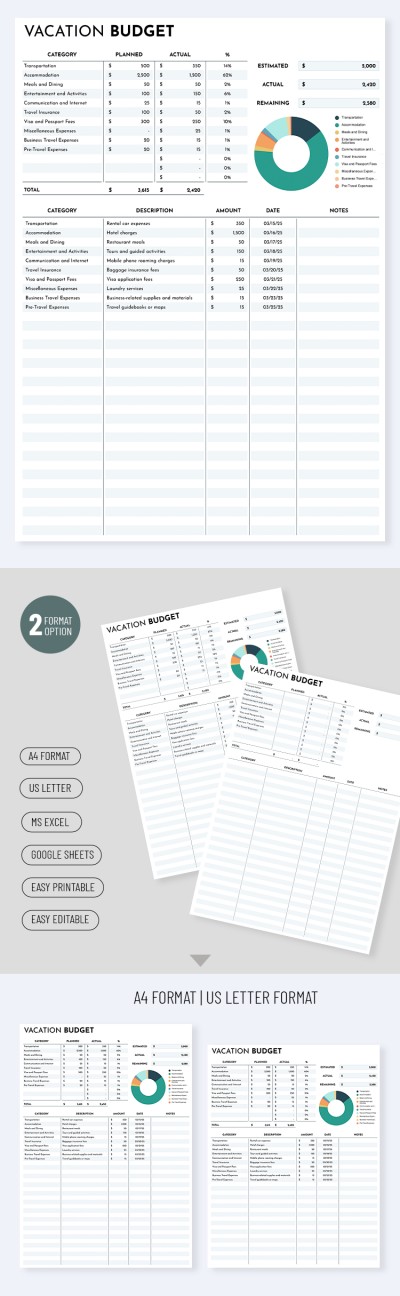
Plan every financial detail of your vacation using our Simple Classic Vacation Budget Template. The design and structure of this spreadsheet are tailored to your getaway needs, so you don't have to create anything from scratch. Try our vacation budget template right away.
Plan Your Trip with a Classic Budget Layout
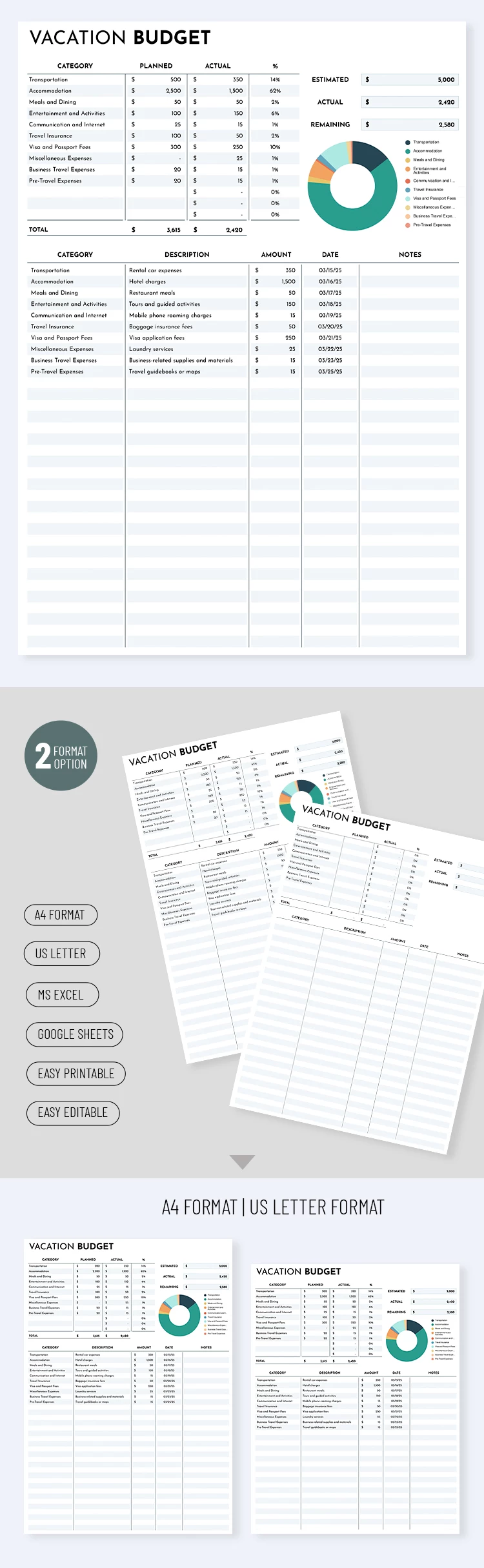
This template consists of two main parts:
- At the top, you can select vacation expense categories and enter your planned budget for each. Actual expenses and the remaining balance will be calculated automatically.
- Below is a table for entering all expenses. Select the desired category from the list, enter a description, amount, and transaction date. Based on these entries, the actual expenses and remaining balance for each category will be calculated in the top section.
Our free budget spreadsheet combines ease of use with a comprehensive layout, allowing you not only to plan expenses but also to compare them with current amounts. All formulas are included; all you need to do is fill out the table.
Be sure to check out the category where you’ll find cute biweekly budget templates for hundreds of other tasks.
ADVERTISEMENT
Free Template
Download Free Template
Choose your platform and start editing right away
PLATFORM
PAPER SIZE
A4
US Letter
No account required • Attribution required
WHAT’S INCLUDED
Automatic calculations and formulas
Charts: pie chart for expenses
Customizable expense categories
Two formats: A4 and US Letter
Budget Tips
Update the actual expenses weekly to stay on track.
Use detailed descriptions for better expense tracking.
Categorize your expenses as soon as you make them.
Set a realistic budget based on past vacations.
FAQ
Is this template compatible with Excel?
Yes, download in Excel or use in Google Sheets.
Is the template easy to use?
Yes, it's designed for simplicity with included formulas.
Can I customize the expense categories?
Yes, easily adjust categories to fit your needs.
Is this template free of charge?
Yes, it's completely free to download and use.
Does it include an expense summary?
Yes, it provides an automatic summary of expenses.
ADVERTISEMENT
How to Use and Edit This Template

Get Your Document
Click the "Edit Template" button to create your own editable copy in Google Sheets or download for Microsoft Excel

Customize Everything
Easily change colors, fonts, and layouts to match your unique style or brand identity

Add Your Content
Fill in your data, upload images, and replace the placeholder text with your own information

Print, Export, or Share
Print, export as PDF, or share instantly