Get unlimited access to 5000+ Templates for Google Docs, Slides and Sheets
Unlimited Access
ADVERTISEMENT
ADVERTISEMENT

Simple Wedding Budget Template

Use this free template with Google Sheets and Microsoft Excel
4.25 (1 reviews)
Last updated Updated July 11, 2026
Created by Natalia Prokhorenko
ADVERTISEMENT

Template Specification

Format Google Sheets, Microsoft Excel
Created February 21, 2025
Last Updated July 11, 2026
Community Added to collections by 11 Users
Usage Stats 76 downloads this month

Key Features of This Template

Suitable For Wedding

About this template

Get a copy of this Simple Wedding Budget Template in Google Sheets or download it in Excel format for free! This comprehensive budget template features everything you need to plan and allocate a budget for your wedding.

Comprehensive One-Page Budget Layout

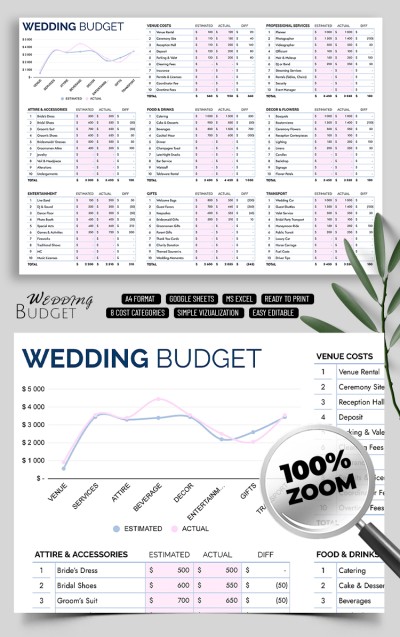
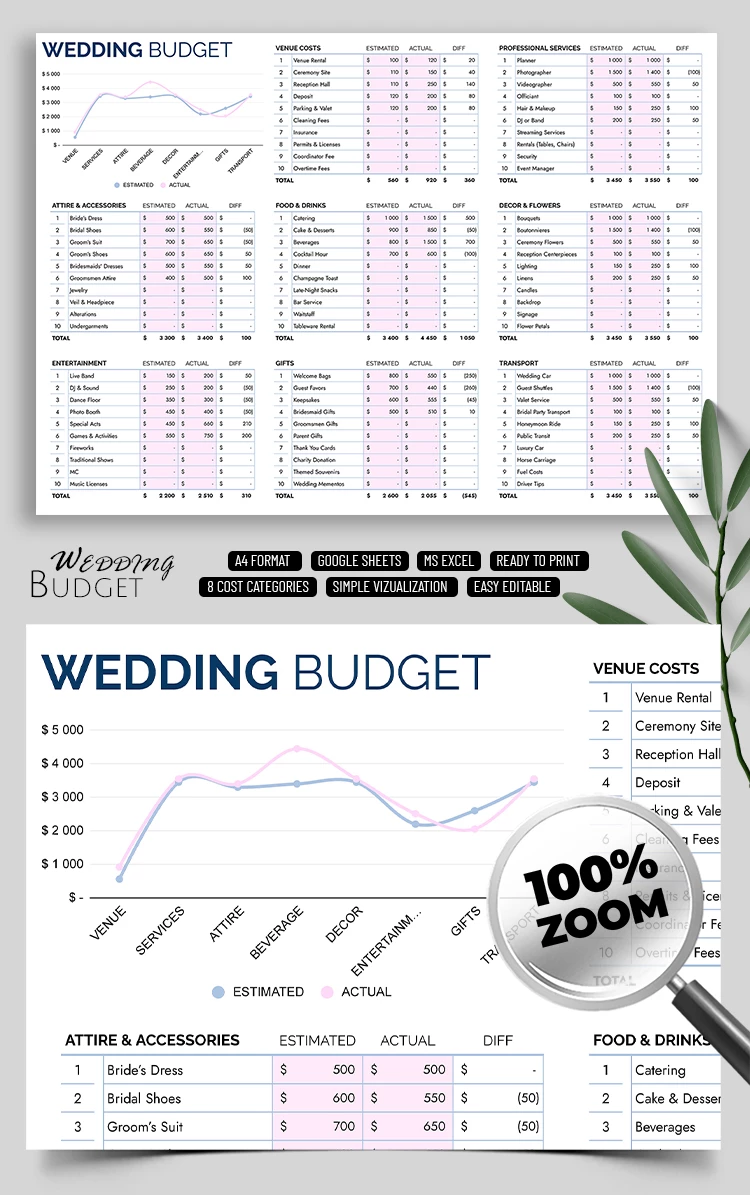
This wedding budget spreadsheet has everything you need to calculate the cost of your wedding via different categories on one page. There are separate tables for various classes of expenses, such as Food & Drinks, Venue, Gifts, Transport, Entertainment, Professional Services, Decor, and more.

Each table is divided into sections where you can write down the cost of bouquets, drinks, snacks, candles, and other things you need to buy.

Estimated + Actual Costs & Chart

Each table has three columns: estimated and actual cost and difference. A chart will also be automatically created based on the numbers you enter. With its help, you can visualize the ratio of estimated and actual costs for different categories and optimize your budget. We offer only the best free budget templates! Find even more options on our website.

ADVERTISEMENT
Free Template

Download Free Template

Choose your platform and start editing right away
PLATFORM

Google Sheets

Opens in browser

Microsoft Excel

.xlsx
PAPER SIZE
A4 Landscape
Google Sheets – A4 Landscape
No account required • Attribution required

WHAT’S INCLUDED

Integrated cost tracking table
Estimated vs actual cost visualization
Editable spreadsheet format
Separate expense categories

Budget Tips

1
Regularly update actual costs to stay on budget.
2
Customize categories to fit your wedding needs.
3
Use charts to compare planned and real expenses.
4
Review differences to adjust future spending.

FAQ

Is this template free to use? Yes, it is completely free to download and use.
Can I use this with Excel? Yes, it's compatible with both Google Sheets and Excel.
How easy is it to customize? Very easy - you can modify categories and costs.
Does it include automatic calculations? Yes, calculations are automatic for effortless budgeting.
Can I track expenses in real-time? Yes, update the template anytime for current expense tracking.
ADVERTISEMENT

How to Use and Edit This Template

Get Your Document

1

Get Your Document

Click the "Edit Template" button to create your own editable copy in Google Sheets or download for Microsoft Excel
Customize Everything
2

Customize Everything

Easily change colors, fonts, and layouts to match your unique style or brand identity
Add Your Content
3

Add Your Content

Fill in your data, upload images, and replace the placeholder text with your own information
Print, Export, or Share
4

Print, Export, or Share

Print, export as PDF, or share instantly

Related Templates

Recently Viewed