Get unlimited access to 5000+ Templates for Google Docs, Slides and Sheets
Unlimited Access
ADVERTISEMENT
ADVERTISEMENT

Geometric Personal Budget Template

Use this free template with Google Sheets and Microsoft Excel
4.25 (1 reviews)
Last updated Updated July 25, 2026
Created by Natalia Prokhorenko
Type Simple
ADVERTISEMENT

Template Specification

Format Google Sheets
Created July 25, 2024
Last Updated July 25, 2026
Community Added to collections by 8 Users
Usage Stats 2 downloads this month

Key Features of This Template

Suitable For Personal

About this template

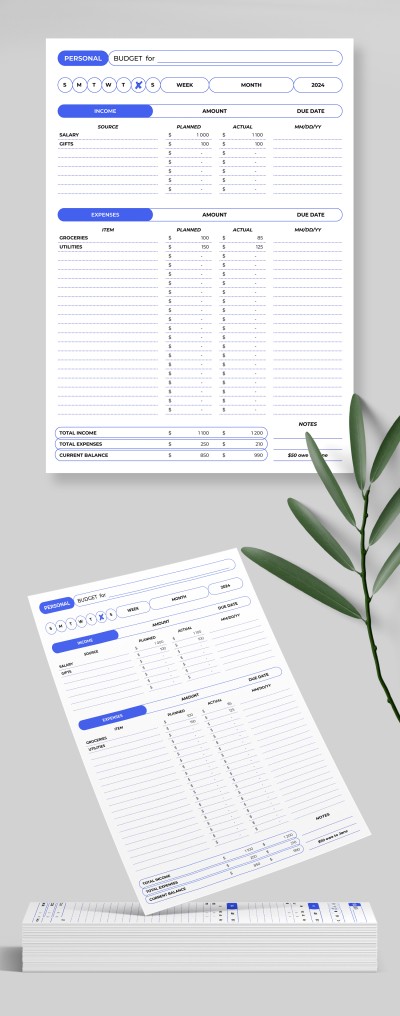
Start using our Geometric Personal Budget Template for free today! Operate and distribute your finances effectively, set goals, and achieve them thanks to this spreadsheet.

Achieve Financial Independence

This free personal budget template in Google Sheets and Excel will help anyone tired of impulsive purchases and wants to visualize revenue and expenditures. A simple design in predominantly white and blue tones will not distract you from the most important thing. Built-in formulas will help you make calculations without leaving the page.

Three Sections for Financial Tasks

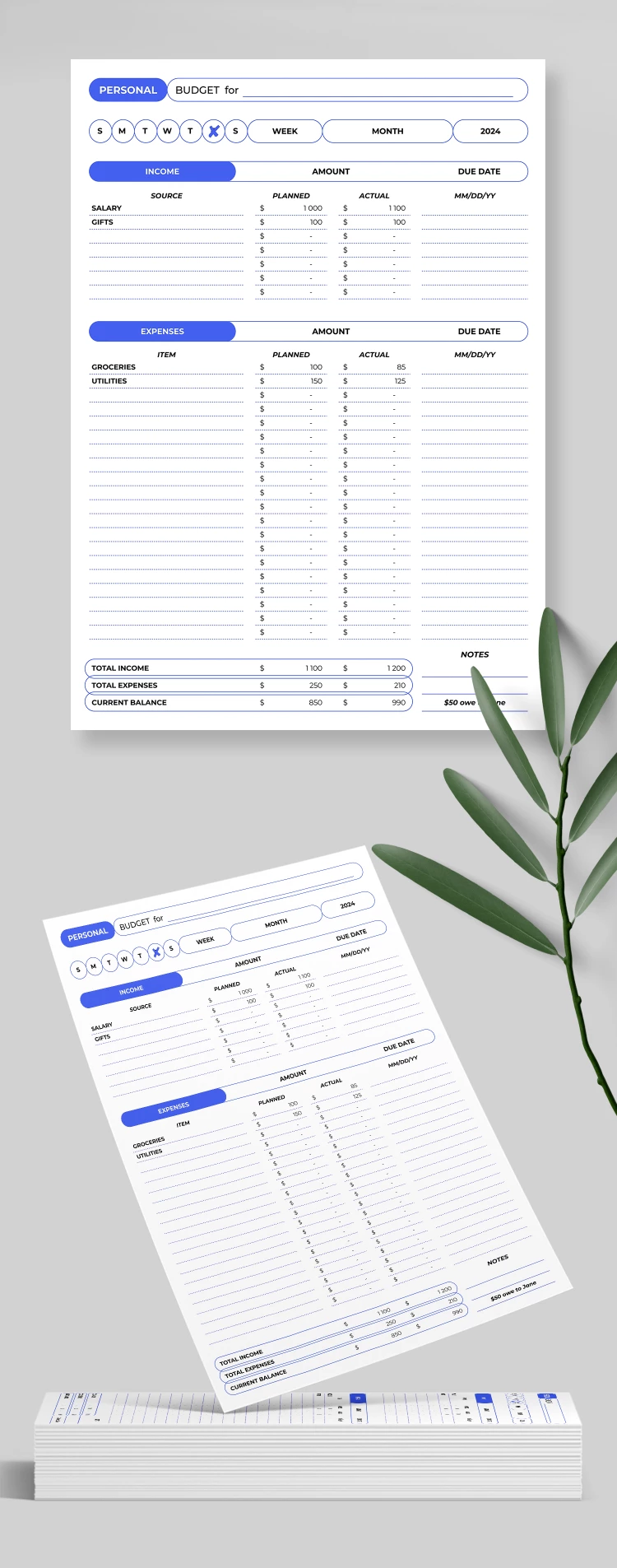
This budget spreadsheet will help you plan your allocation for the month ahead. It consists of three main sections:

  • Header section to enter the budget name and select from the list an actual week, month, year, and day.
  • The income section can include several salary sources, planned, current income, and the payment date.
  • The expenses section is the largest and will accommodate 20+ categories of expenses monthly.

Want a brighter or more formal design? On our website, you will find hundreds of budget templates.

ADVERTISEMENT
Free Template

Download Free Template

Choose your platform and start editing right away
PLATFORM

Google Sheets

Opens in browser
PAPER SIZE
A4
Google Sheets – A4
No account required • Attribution required

WHAT’S INCLUDED

Weekly and monthly income tracking
20+ customizable expense categories
Built-in automatic calculations
Simple white and blue design

Budget Tips

1
Review your budget weekly for accurate financial tracking.
2
Adjust planned versus actual expenses to stay on track.
3
Utilize the notes section for important reminders.
4
Categorize all expenses to identify saving opportunities.

FAQ

Is this template compatible with Google Sheets and Excel? Yes, it's compatible with both Google Sheets and Excel.
Is this template easy for beginners to use? Absolutely, it features a simple and clear layout.
Can I customize the categories in this template? Yes, you can add or rename expense categories.
Is this template free to download? Yes, it's available for free.
How many expense categories are included? There are over 20 customizable expense categories.
ADVERTISEMENT

How to Use and Edit This Template

Get Your Document

1

Get Your Document

Click the "Edit Template" button to create your own editable copy in Google Sheets or download for Microsoft Excel
Customize Everything
2

Customize Everything

Easily change colors, fonts, and layouts to match your unique style or brand identity
Add Your Content
3

Add Your Content

Fill in your data, upload images, and replace the placeholder text with your own information
Print, Export, or Share
4

Print, Export, or Share

Print, export as PDF, or share instantly

Related Templates

Recently Viewed