ADVERTISEMENT
ADVERTISEMENT
Editable Zero-Based Budget Template
Use this free template with Google Sheets and Microsoft Excel
4.25 (1 reviews)
•
Last updated
Updated
October 3, 2026
•
Created by
Natalia Prokhorenko
•
Type
Zero-Based
ADVERTISEMENT
Template Specification
Format
Google Sheets, Microsoft Excel
Created
September 5, 2025
Last Updated
October 3, 2026
Community
Added to collections by 6 Users
Usage Stats
14 downloads this month
Key Features of This Template
Budget Method
Zero-Based Budget Templates
About this template
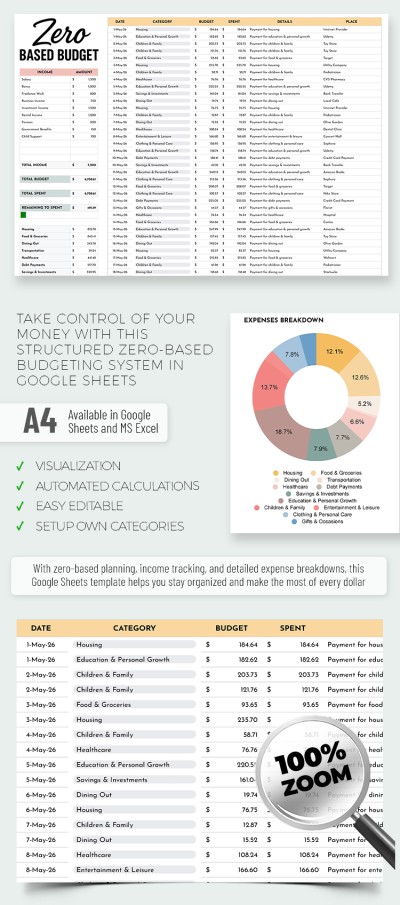
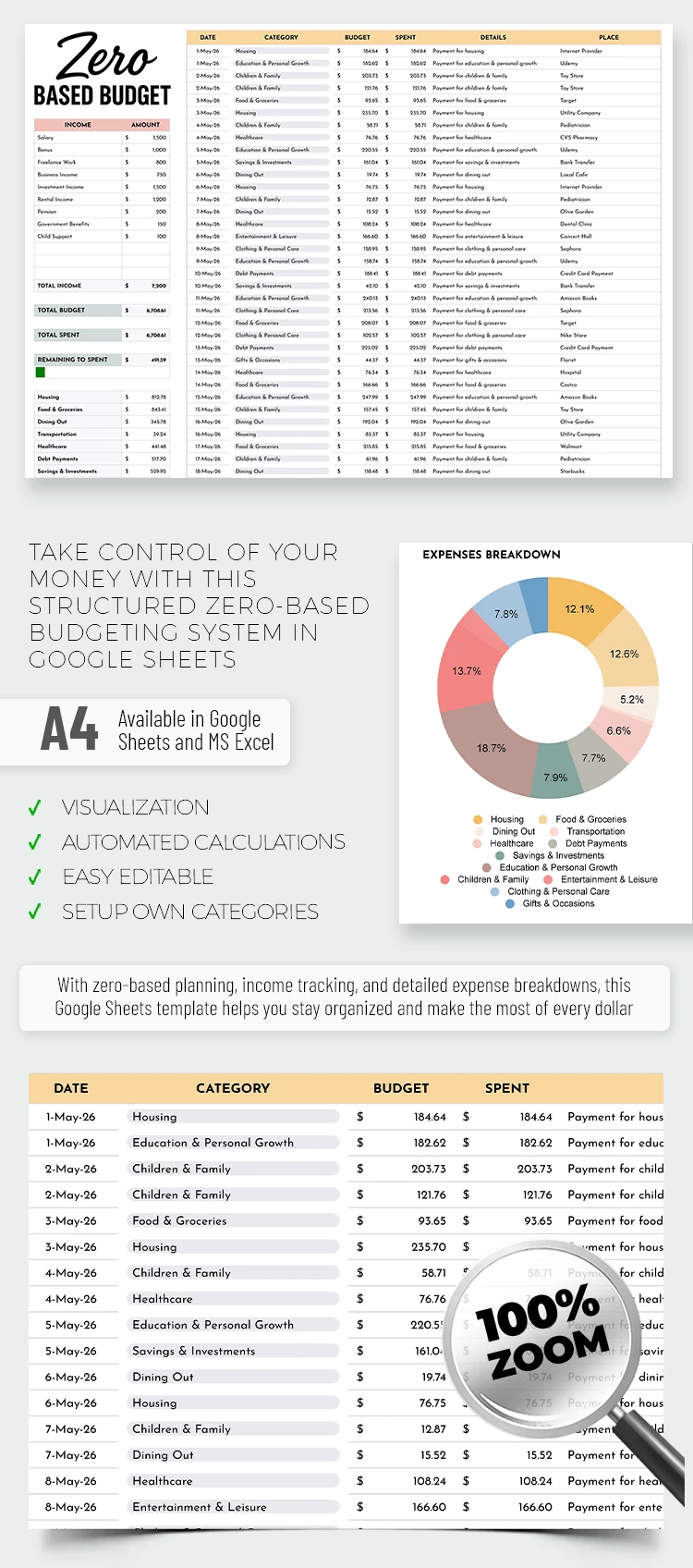
Check out our editable zero-based budget template, which is available in convenient Google Sheets and Excel formats. This spreadsheet includes everything you need to plan and track personal and family finances, covering total income and all expenses for the financial period.
Use the Universal ZBB and Tracker for Free
Our zero-based budgeting template consists of two sheets, both fully editable:
- The Setup Sheet allows you to set categories and drop-down lists for income and expense categories. Replace any unnecessary list item by clicking on its placeholder and entering a new one.
- The Budget Sheet is vertically divided into two main sections. On the left, you’ll find two tables that provide a complete overview of your budget and expenses (total budget/spent, remaining balance, diagram, etc.). On the right, there’s a table where you can record expenses.
The expenses table already includes all the key columns, such as date, category, amount, and transaction details. This spreadsheet is easy to use and features a simple, minimalist design to help you stay focused while working.
Download more versatile and free budget templates on our website.
ADVERTISEMENT
Free Template
Download Free Template
Choose your platform and start editing right away
PLATFORM
PAPER SIZE
A4 Landscape
No account required • Attribution required
WHAT’S INCLUDED
Detailed table for income and expenses
Pie chart for expense breakdown
Automated calculations and remaining balance
Editable categories for personalization
Budget Tips
Update your budget weekly for accuracy.
Customize categories to match personal spending habits.
Use charts to visualize spending trends.
Set up reminders for recurring expenses.
FAQ
Is this template compatible with Excel?
Yes, it's available in both Excel and Google Sheets formats.
How easy is it to use?
It's designed to be user-friendly with simple navigation.
Can I customize the categories?
Yes, you can easily edit and add new categories.
Is this template free to use?
Yes, you can download and use it for free.
Does it include automated calculations?
Yes, it features automated calculations for accurate budgeting.
ADVERTISEMENT
How to Use and Edit This Template

Get Your Document
Click the "Edit Template" button to create your own editable copy in Google Sheets or download for Microsoft Excel

Customize Everything
Easily change colors, fonts, and layouts to match your unique style or brand identity

Add Your Content
Fill in your data, upload images, and replace the placeholder text with your own information

Print, Export, or Share
Print, export as PDF, or share instantly