ADVERTISEMENT
ADVERTISEMENT
Editable Envelope Budget Template
Use this free template with Google Sheets and Microsoft Excel
4.25 (1 reviews)
•
Last updated
Updated
October 31, 2026
•
Created by
Natalia Prokhorenko
•
Type
Envelope
ADVERTISEMENT
Template Specification
Format
Google Sheets, Microsoft Excel
Created
July 31, 2025
Last Updated
October 31, 2026
Community
Added to collections by 7 Users
Usage Stats
20 downloads this month
Key Features of This Template
Budget Method
Envelope Budget Templates
About this template
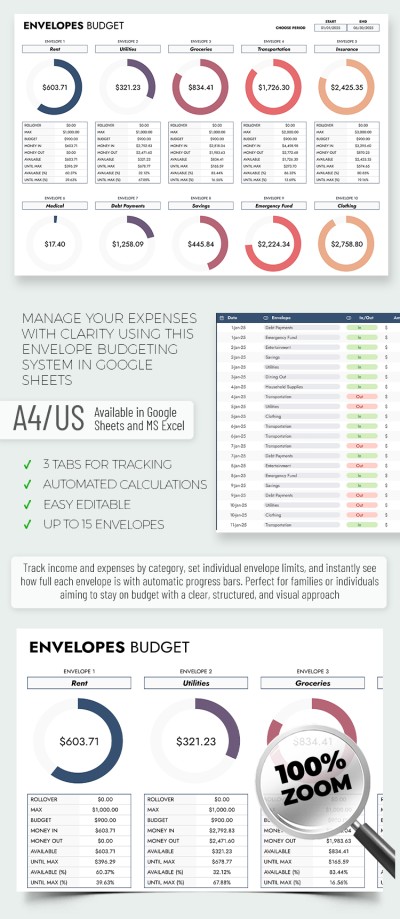
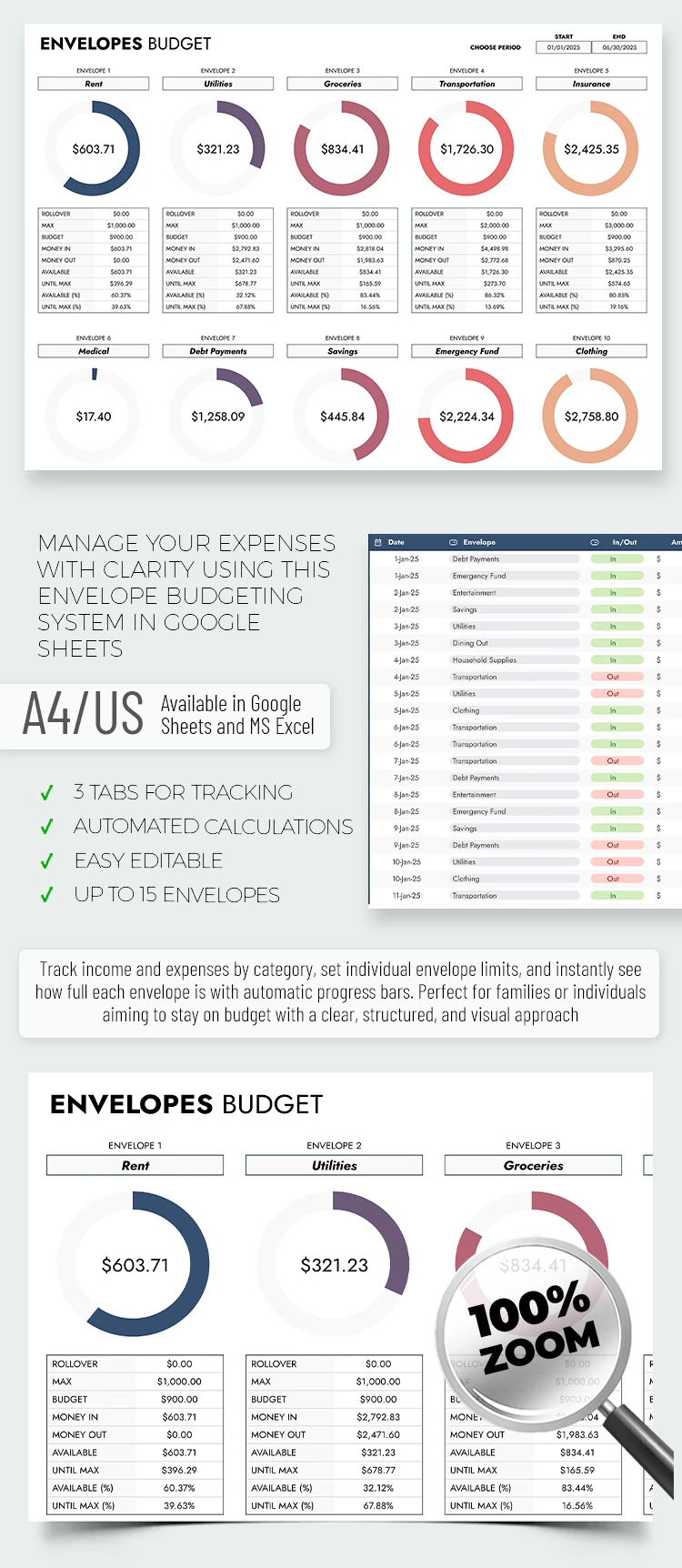
Charts are a great way to visualize numbers and manage your budget more responsibly, that's why our Editable Envelope Budget Template includes advanced features. We've implemented numerous elements to automate calculations in our budgeting template - learn more below.
Stay Organized with Editable Budget Envelopes
Our spreadsheet includes pre-made layouts for 15 envelopes, which you can customize. In the Setup section, you can name each envelope and allocate a budget limit.
Working with the template is straightforward:
- On the Setup sheet, name the envelopes you’ll use and allocate a budget to each of them.
- On the Transaction Log sheet, enter the amount, date, and notes for each transaction, and select the desired envelope and in/out option from the drop-down list.
- On the Envelope sheet, you’ll get the entire statistics for each envelope, including the balance.
No special skills are required to use the template, as all formulas and diagrams are included and work automatically. Even better, you can start using our Google Sheets envelope budget template for free right now.
ADVERTISEMENT
Free Template
Download Free Template
Choose your platform and start editing right away
PLATFORM
PAPER SIZE
A4 Landscape
US Letter Landscape
No account required • Attribution required
WHAT’S INCLUDED
Up to 15 customizable envelopes
Automated progress tracking with charts
Integrated transaction logging system
Easy-to-edit budget setup
Budget Tips
Set budget limits for each envelope initially.
Review and update transactions weekly for accuracy.
Use color coding to differentiate expenses.
Regularly compare actuals with budget to adjust limits.
FAQ
Is this compatible with Google Sheets and Excel?
Yes, it's designed for both platforms.
Is this template easy to use?
Yes, all calculations are automated for convenience.
Can I customize envelope names and limits?
Absolutely, both are fully customizable in the setup sheet.
Is this template free to use?
Yes, you can start using it for free right away.
How many envelopes can I use?
You can use up to 15 envelopes in this template.
ADVERTISEMENT
How to Use and Edit This Template

Get Your Document
Click the "Edit Template" button to create your own editable copy in Google Sheets or download for Microsoft Excel

Customize Everything
Easily change colors, fonts, and layouts to match your unique style or brand identity

Add Your Content
Fill in your data, upload images, and replace the placeholder text with your own information

Print, Export, or Share
Print, export as PDF, or share instantly