6 Jars Budget Planner Template
Use this free template with Google Sheets and Microsoft Excel
Template Specification
Key Features of This Template
About this template
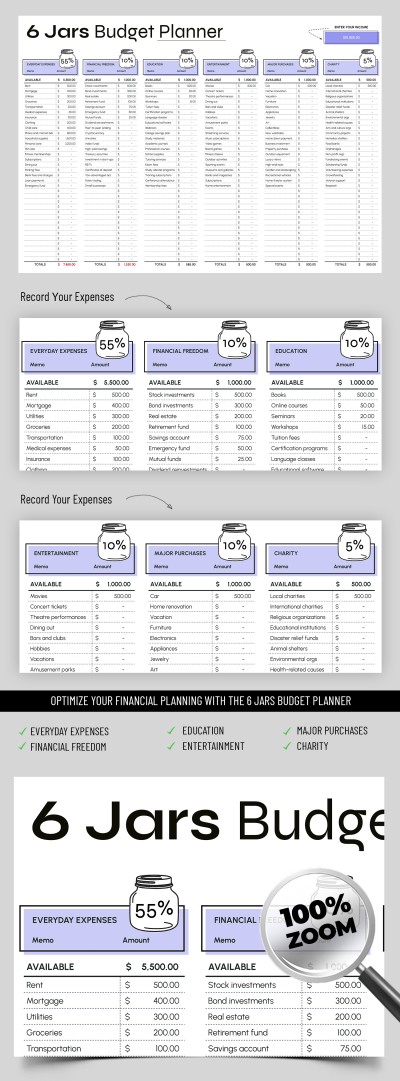
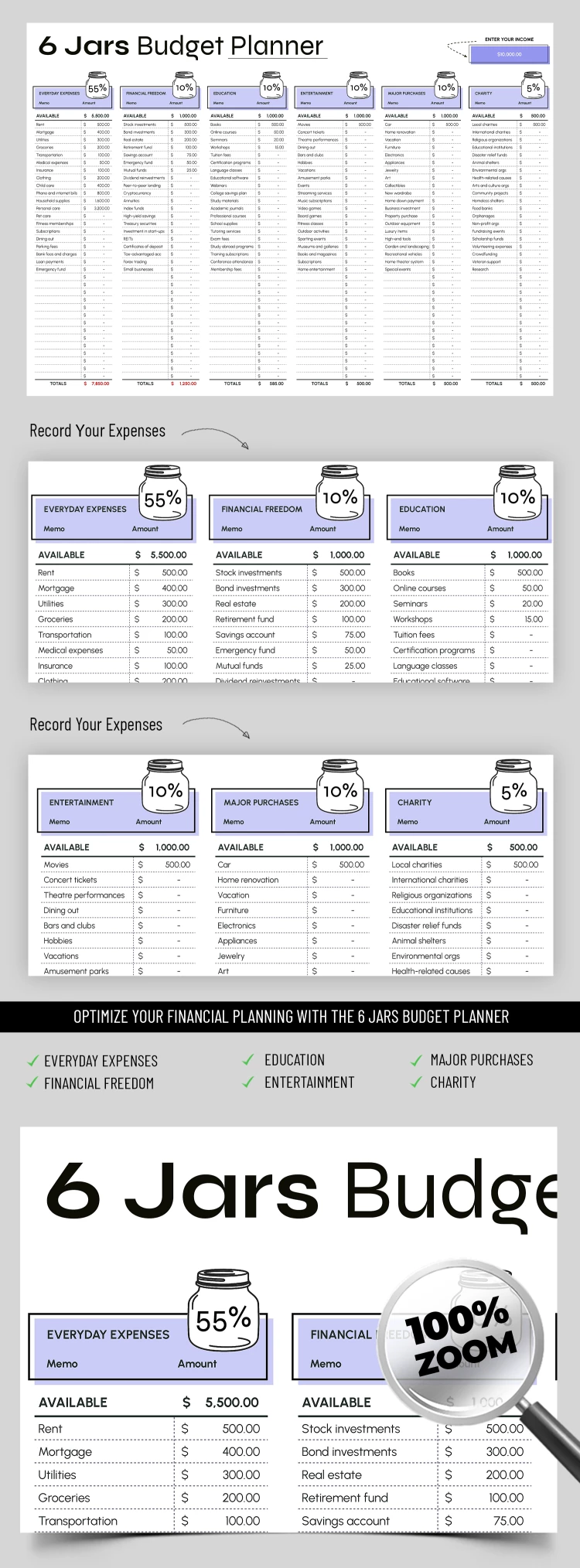
The 6 Jars Budget Planner Template is an effective personal finance management tool based on the popular "6 Jars" concept. Our personal budget template in Excel and Google Sheets is divided into six main sections, each of which represents a "jar":
- Daily Expenses are designed for everyday needs, such as food, transportation, and household expenditures.
- Financial Freedom is your investing in assets and savings to ensure stability in the future.
- The Education section is for costs of training and development (courses, books, and seminars).
- Entertainment is a budget for leisure and hobbies to maintain a work-life balance.
- Big Purchases are your savings for large buys (new equipment, furniture, or a vacation).
- Charity - these are funds to help others.
We also made dozens of other free budget planners, which can be adapted for your spending habits and income. Each "jar" can be assigned a percentage of expenses. Our users can adapt the planner to personal financial goals and life circumstances. The ample space under each section can be used to enter relevant categories and expenses.
You can use our template in Excel and Google Sheets formats. It also contains formulas to automatically calculate total expenses, balances, and more. TheGoodocs offers many more suitable spreadsheets available for free and with a premium subscription, check them out today!
Download Free Template
WHAT’S INCLUDED
Budget Tips
FAQ
How to Use and Edit This Template

Get Your Document

Customize Everything

Add Your Content