ADVERTISEMENT
ADVERTISEMENT
Professional Training Agenda Template
Use this free template with Google Docs and Microsoft Word
ADVERTISEMENT
Template Specification
Format
Google Docs
Created
August 6, 2024
Last Updated
September 19, 2026
Community
Added to collections by 10 Users
Usage Stats
2 downloads this month
About this template
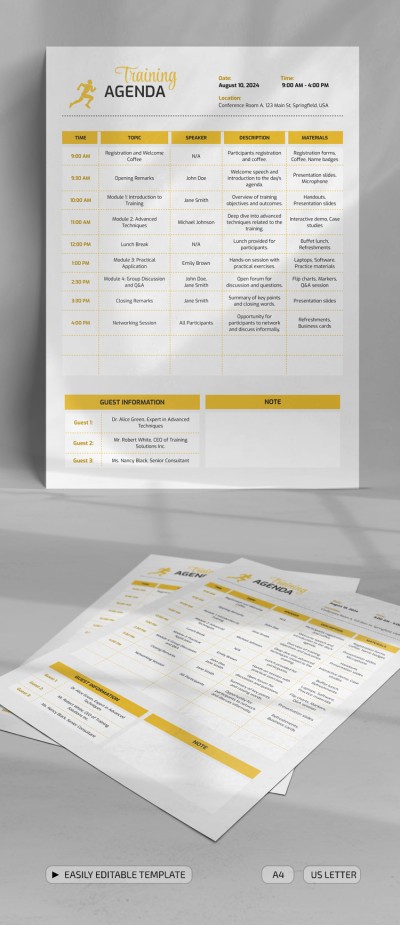
Ensure maximum efficiency of employees, students, or athletes training by using the Professional Training Agenda Template. Utilize the multifunctional example with editable format in different industries!
Agenda Template in Word and Google Docs
The ultimate convenience is provided by Word and Google Docs formats. The template is easy to use and fill out, as well as printable. It can be distributed on social networks, the organization's website, or after printing in A4 or US Letter size.
Timely Structure and Layout
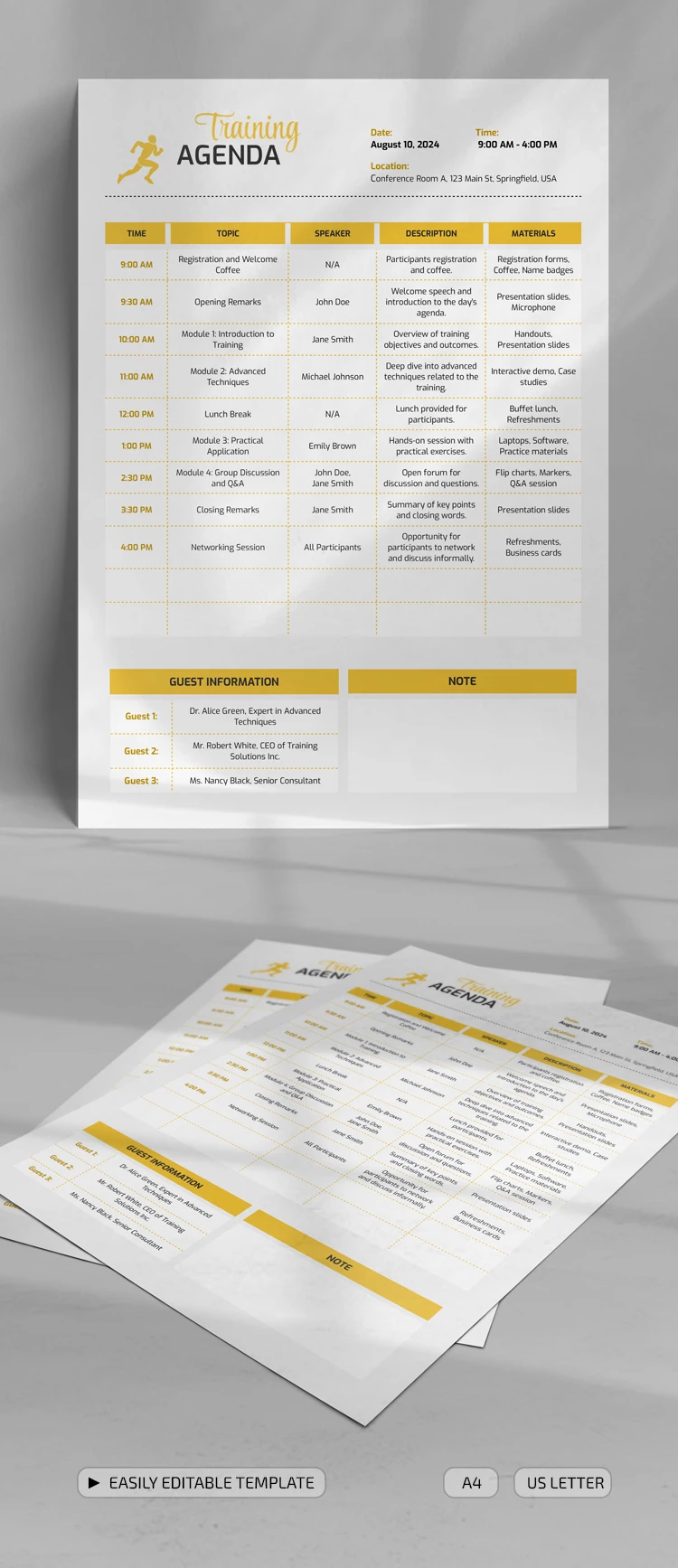
This training agenda sample consists of the following sections:
- Header: you can add the date, start time, and location.
- Schedule table: it consists of five columns, including Time, Topic, Speaker, Description, and Materials.
- Guest information and notes: you can enter the names of invited speakers and other notes.
You can find more agenda templates for everyday or non-standard tasks. They are available on our website for free or with a premium subscription!
ADVERTISEMENT
Free Template
Download Free Template
Choose your platform and start editing right away
PLATFORM
PAPER SIZE
A4
US Letter
No account required • Attribution required
WHAT’S INCLUDED
Editable sections for time slots
Speaker and materials columns
Guest information and notes section
Printable in A4 and US Letter
Agenda Tips
Customize topics to fit your event's needs.
Fill out speaker details for easy reference.
Use the notes section for last-minute changes.
Print copies for all participants.
FAQ
Is this template compatible with Google Docs?
Yes, you can easily edit and use it in Google Docs.
Is the template easy to customize?
Absolutely, it's fully editable to fit your event structure.
Can I use this template for free?
Yes, it is available for free download.
Can it be printed in different sizes?
Yes, it's printable in both A4 and US Letter sizes.
What are the template's main features?
Includes customizable sections for time, speakers, and materials.
ADVERTISEMENT
How to Use and Edit This Template

Get Your Document
Click the "Edit Template" button to create your own editable copy in Google Docs or download for Microsoft Word

Customize Everything
Easily change colors, fonts, and layouts to match your unique style or brand identity

Add Your Content
Fill in your data, upload images, and replace the placeholder text with your own information

Print, Export, or Share
Print, export as PDF, or share instantly