Get unlimited access to 5000+ Templates for Google Docs, Slides and Sheets
Unlimited Access

Gradient Meeting Agenda Template

Use this free template with Google Slides and Microsoft PowerPoint
4.28 (2 reviews)
Last updated Updated June 30, 2026
Created by Evelyn Stewart

Template Specification

Format Google Slides, Microsoft PowerPoint
Created December 7, 2021
Last Updated June 30, 2026
Community Added to collections by 8 Users
Usage Stats 0 downloads this month

About this template

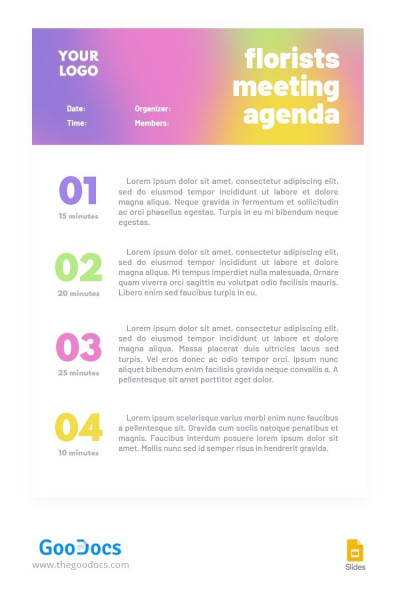
Our Gradient Meeting Agenda Template is perfect for your creative or other departments. An eye-catching design with a gradient header and step-by-step division of assignments will help your team work together on any task.

Bright, Custom, and Professional Design

The first thing you will see using our meeting agenda template is an attractive header section. It shimmers with colors from purple to yellow. The dividing numbers 1-4 for discussing the main points are also highlighted in these colors.

Ready-to-Use Form in Google Slides

Working with our form is very simple, even without experience using Google Slides or PowerPoint.

Use a header section to include a company logo and enter the date, time, organizer, and meeting member's names. The rest of the agenda consists of four adjustable blocks. Each section features enough space to include the topic and meeting details.

Don't forget to check out the rest of the collection of agenda templates available only on our website.

Free Template

Download Free Template

Choose your platform and start editing right away
PLATFORM

Google Slides

Opens in browser

Microsoft PowerPoint

.pptx
PAPER SIZE
A4
US Letter
Google Slides – A4
No account required • Attribution required

WHAT’S INCLUDED

Gradient header with logo space
Four customizable agenda sections
Time allocation for each topic
Editable organizer and member fields

Agenda Tips

1
Include specific times for each agenda item.
2
Customize colors to match your brand.
3
Fill in member names for better tracking.
4
Use bullet points for clarity in sections.

FAQ

Is this template compatible with Google Slides? Yes, it works perfectly with Google Slides and PowerPoint.
How easy is it to customize? It's very user-friendly and easily customizable.
Is this agenda template free? Yes, it's available for free on our website.
Can I change the colors and fonts? Absolutely, you can modify colors and fonts to fit your needs.
Do I need any specific software to use this? No special software needed, just Google Slides or PowerPoint.
ADVERTISEMENT

How to Use and Edit This Template

Get Your Document

1

Get Your Document

Click the "Edit Template" button to create your own editable copy in Google Slides or download for Microsoft PowerPoint
Customize Everything
2

Customize Everything

Easily change colors, fonts, and layouts to match your unique style or brand identity
Add Your Content
3

Add Your Content

Fill in your data, upload images, and replace the placeholder text with your own information
Print, Export, or Share
4

Print, Export, or Share

Print, export as PDF, or share instantly

Related Templates

Recently Viewed